Digital Scanner
Document Scanning During Live Calls
The scanner feature enables hosts to collect documents from visitors in real time during an active call — without requiring any dedicated scanning hardware. Instead, the visitor uses their own smartphone to capture or upload documents securely.
This functionality is designed to streamline the document collection process at reception or entry points, allowing hosts to verify identity documents, forms, or other paperwork instantly as part of the visitor interaction workflow.
All document submissions are tied directly to the call session and stored in call history, ensuring easy retrieval and a clear audit trail for compliance or record-keeping purposes.
How to Use the Scanner Feature During a Live Call
The scanner feature does not require any physical hardware. It uses the visitor’s own device.
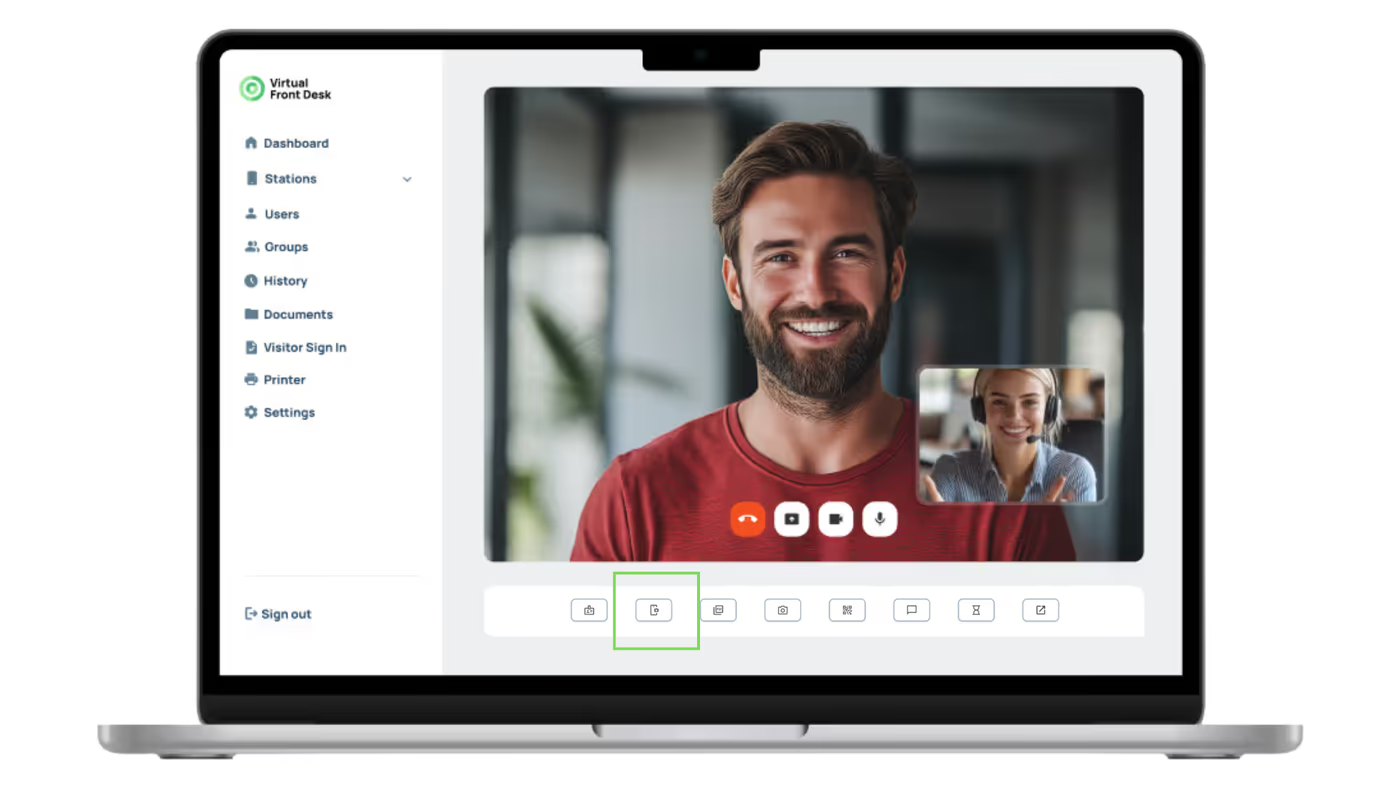
During a live call, the host can click the "Scanner" button, which displays a QR code on the station screen.
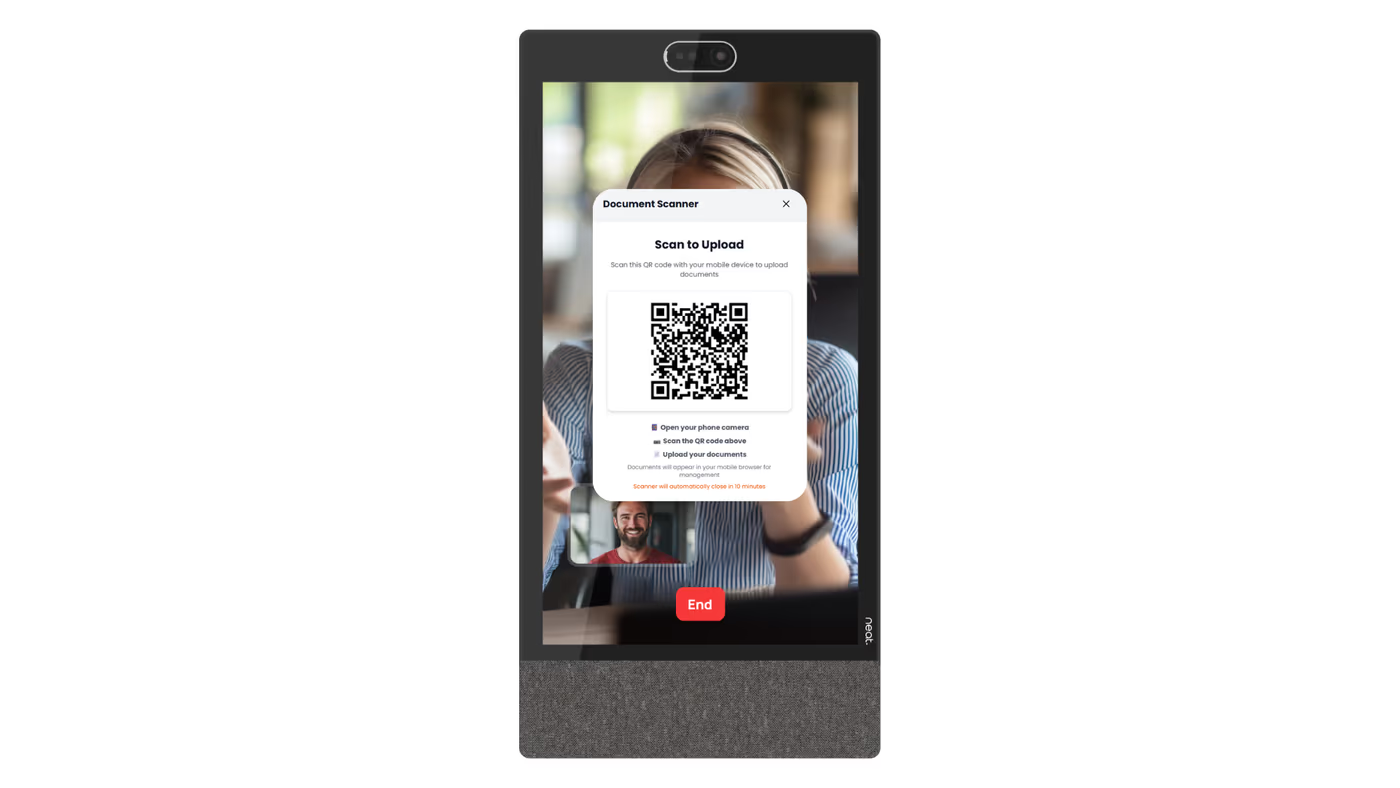
The visitor scans this code with their phone, opening a secure browser page that allows them to either take a photo of a document or upload one from their phone's image library.
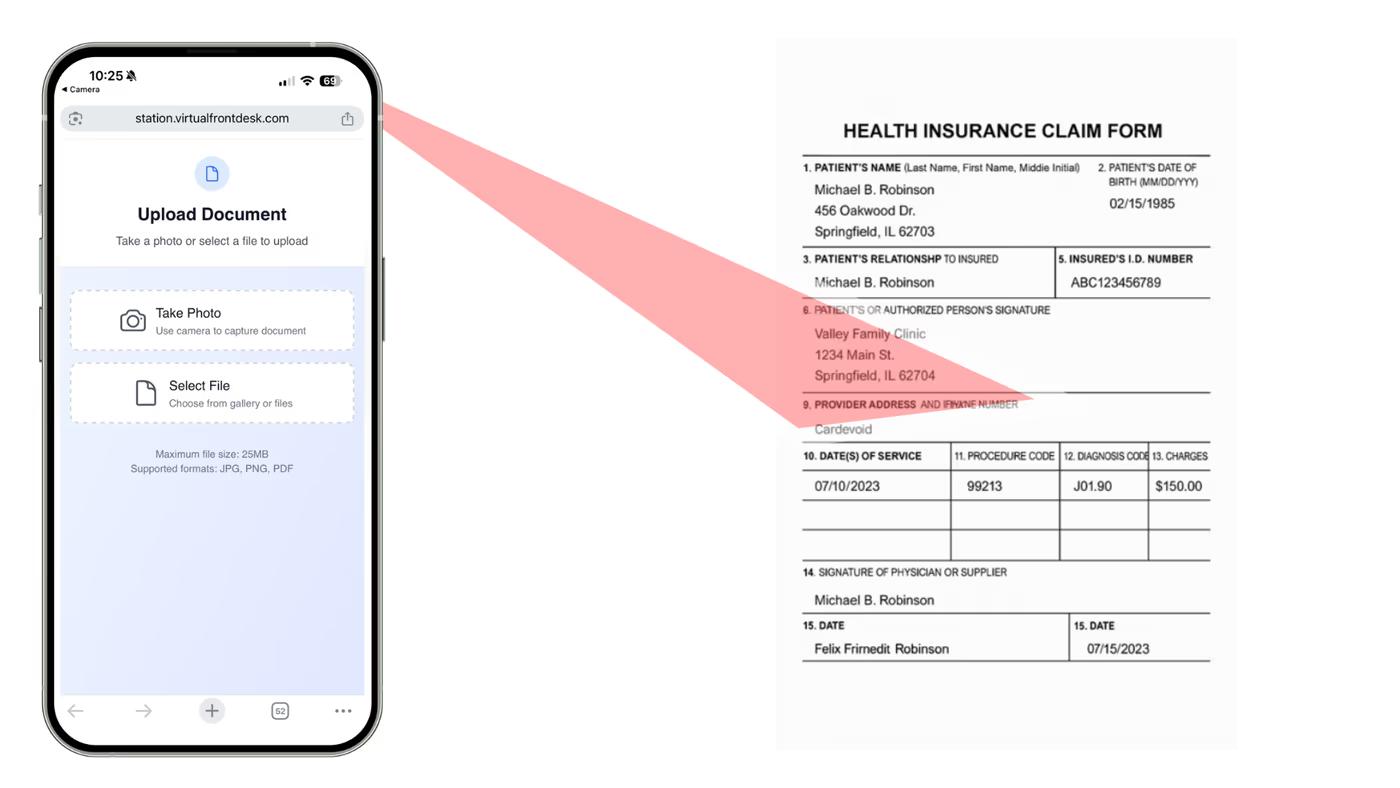
Visitors can upload multiple images.
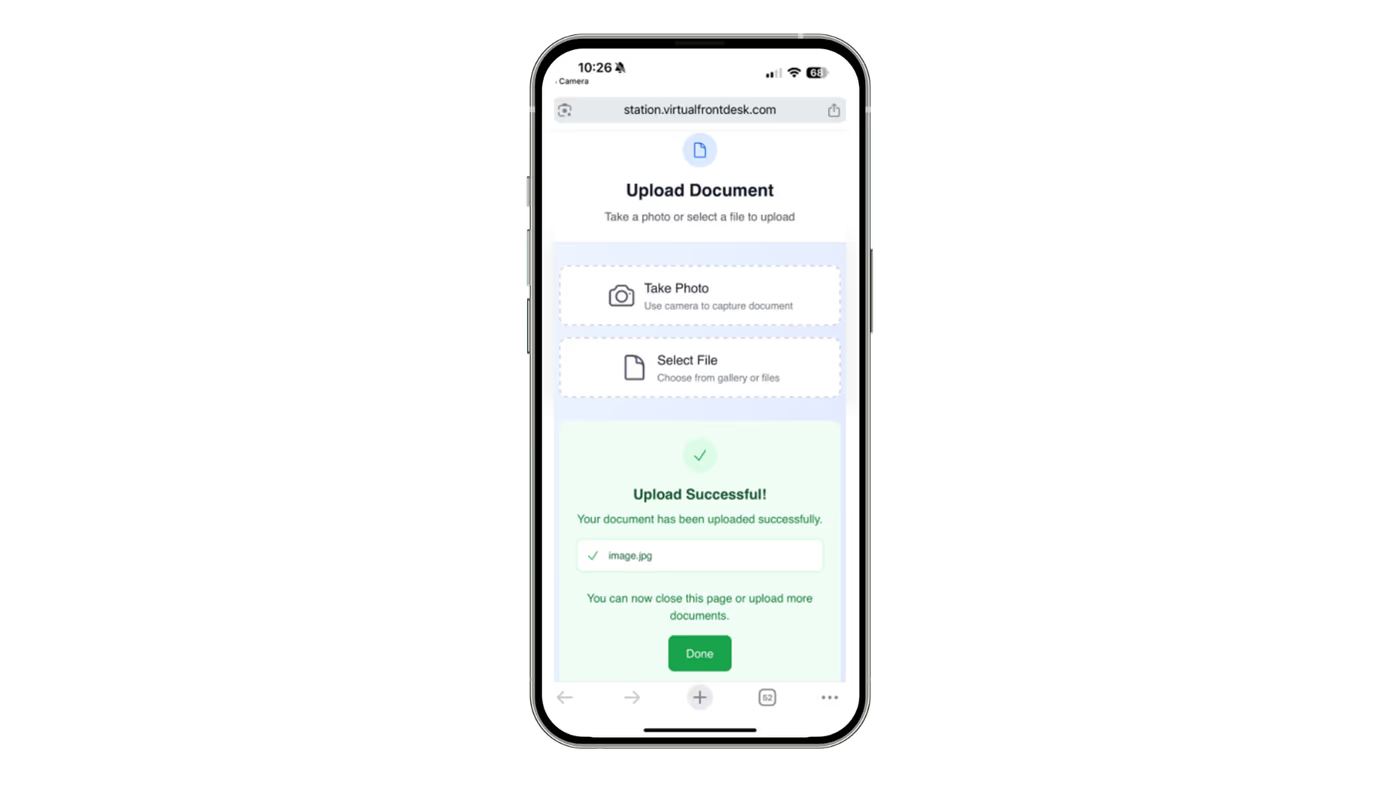
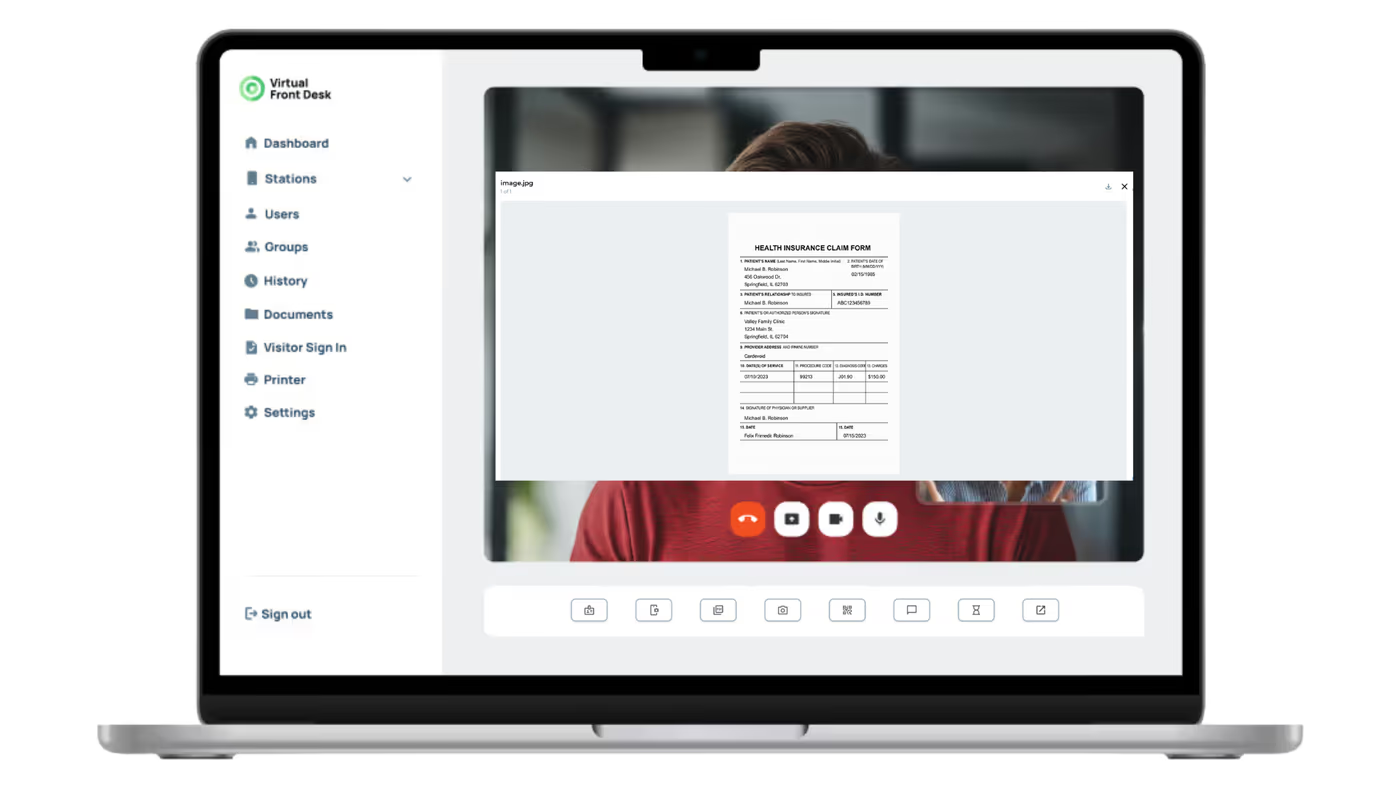
On the host side, a live preview appears to confirm the image quality before submission. All uploaded documents are saved in the call history for future reference.
Key Takeaways
The scanner feature is a hardware-free solution that leverages the visitor's own device to capture and submit documents during a live call. The host initiates the process by clicking the "Scanner" button, which generates a QR code for the visitor to scan. Visitors can upload multiple images, and the host receives a live preview to verify quality before final submission.
All uploaded documents are automatically saved to the call history, making them easy to access for future reference or compliance needs. This makes the scanner feature a practical and efficient tool for any visitor management workflow that requires document collection.