Virtual Front Desk for Building Security Compliance


How Virtual Front Desk
Supports Global Visibility, Access Control and Emergency Response?
Paper logs, informal handoffs and unattended reception areas can make it difficult to keep track of who entered a building, why they here or who assisted them.
Virtual Front Desk brings visitor management, reception communication and building security-related workflows into one system. Visitors can provide information, complete required steps and connect with an authorized staff member when help or verification is needed.

Express QR code visitor sign in
Send pre-registration forms to upcoming visitors directly from our dashboard, Outlook, or Google Calendar. Visitors can then enjoy an express QR code check-in at the station.

Standardize Every Location
Apply consistent reception workflows across offices, entrances and facilities from one platform.

Complete Visitor Identity
Capture an ID, selfie or other visitor information when additional verification is required.

Complete Entry Requirements
Collect signed documents, NDAs or safety acknowledgements before the visit continues.

Print Visitor Badges
Print visitor badges after check-in to make approved guests easier to identify and display key details.

Reach the Right Person
Let visitors reach reception, security or their host by video, phone, SMS, email or connected communication tools.

Maintain Visitor Records
Keep a searchable history of visitor activity and completed sign-in steps for authorized review.

Review Who May Be Onsite
Use visitor sign-in and sign-out records to support response and building compliances.

Send Emergency Notifications
Send emergency instructions to visitors instantly by SMS with just one click from your dashboard.
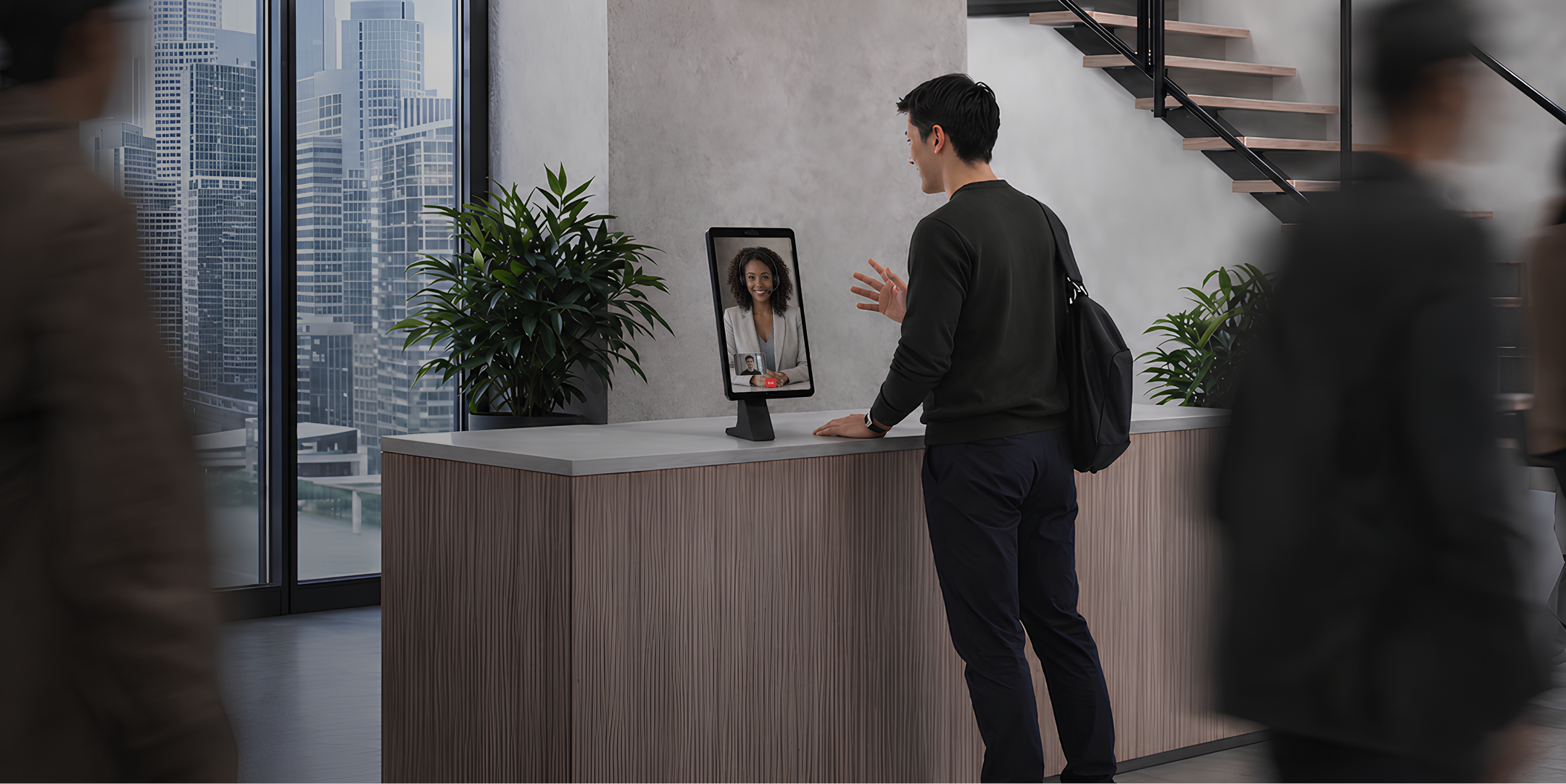
Why Virtual Front Desk Goes Beyond Basic Visitor Management
Virtual Front Desk combines self-service visitor workflows with live human assistance. Visitors can sign in, provide information, complete documents, receive a badge and connect with a real person through the same reception platform.
Reception or security staff can assist walking visitors who need help completing a form or require special instructions.
Provide visitors with access to reception services without the need of a physical presence behind the desk.
Allow one reception team to assist visitors across multiple entrances, offices, and facilities from a single workflow.
Deploy Virtual Front Desk wherever its needed
Choose from compatible tablets, computers and professional kiosks to create a secure, visible and accessible customer service point for each location.
Strengthen Building Safety with Connected Systems
Connect Virtual Front Desk with Microsoft Teams, Slack, Google Calendar, Outlook, WhatsApp, and other tools to support visitor communication, pre-registration, host notifications, and coordinated reception workflows.
When a visitor taps a button on the station, an instant message goes out in Slack, to a channel or to a specific person.
Route a visitor's video call or SMS straight into Microsoft Teams. Your staff answer from the app they already have open all day.
Keep visitor scheduling aligned with Microsoft 365. Send invitations, manage pre-registration, and help hosts coordinate arrivals directly through Outlook Calendar.
Turn calendar events into a smoother arrival experience. Add visitors to scheduled meetings, share pre-registration details ahead of time, and streamline check-in when they arrive.
Receive either an SMS notification in WhatsApp or a video call link you can tap to start a video call between WhatsApp and the Virtual Front Desk station.

Strengthen Building Security with Virtual Front Desk
Bring visitor sign-in, identity workflows, signed documents, badge printing, visitor records and live reception assistance together in one virtual reception platform.
Do you have questions? Check them below
If you don't find an answer to your question, please, feel free to contact us
Can Virtual Front Desk replace Microsoft Teams Displays Virtual Front Desk?
Yes. Virtual Front Desk can support visitor identity verification through digital sign-in forms, selfie capture, ID presentation, and live interaction with reception or security staff.
Verifying visitor identity helps reduce uncertainty at the point of entry and gives reception or security teams more information before allowing a visitor to proceed further into the building.
Book a demo to see how identity verification can be added to your visitor check-in workflow.
Can Virtual Front Desk replace Microsoft Teams Displays Virtual Front Desk?
Yes. Virtual Front Desk maintains digital visitor records including sign-in activity, visitor details, hosts, locations, and sign-out status.
Knowing who has entered a building can support security teams during incident response, evacuation, or post-incident review, especially when compared with incomplete paper logs or informal reception processes.
Explore visitor management features to see how Virtual Front Desk records and organizes visitor activity.
Can Virtual Front Desk replace Microsoft Teams Displays Virtual Front Desk?
Yes. Virtual Front Desk can present documents, policies, confidentiality agreements, and safety acknowledgements for visitors to review and sign during check-in.
Requiring visitors to complete safety, confidentiality, or access-related agreements before entry helps organizations apply more consistent security procedures across different visitor types and locations.
Book a demo to see how document signing can be included in your visitor entry workflow.
Can Virtual Front Desk replace Microsoft Teams Displays Virtual Front Desk?
Yes. Virtual Front Desk allows a centralized reception team to assist visitors across multiple entrances, offices, and facilities.
Centralized reception can reduce security gaps at unstaffed entrances by giving visitors a clear way to reach an authorized person without requiring a dedicated receptionist at every building.
Explore multi-location reception to see how one team can support visitor arrivals across several buildings.
Can Virtual Front Desk replace Microsoft Teams Displays Virtual Front Desk?
Yes. Virtual Front Desk can print visitor badges after the required sign-in steps have been completed.
Visitor badges make processed guests easier for employees and security teams to identify and can help distinguish registered visitors from people who have not completed the required entry process.
Explore visitor badge printing feature to see how badges can be added to your visitor workflow.
Can Virtual Front Desk replace Microsoft Teams Displays Virtual Front Desk?
Yes. Virtual Front Desk can connect visitors with reception, security, their host, or another designated contact through live video, phone, and supported communication tools.
A direct communication path helps prevent visitors from being left unattended when they need approval, arrive unexpectedly, or require help before entering a secure area.
Book a demo to see how visitor calls and contact routing can work at your entrances.
Can Virtual Front Desk replace Microsoft Teams Displays Virtual Front Desk?
Yes. Virtual Front Desk can support emergency-response workflows by displaying emergency notifications, helping identify visitors who may be onsite, and providing communication paths to designated reception, security, or response contacts.
During an emergency, security teams need clear communication and better awareness of who may be inside the building. Visitor records and emergency messaging can support faster, more coordinated response procedures.
Book a demo to see how Virtual Front Desk can support emergency communication and visitor-response workflows.