Phone call and call forwarding
Using Phone Numbers with Virtual Front Desk
Virtual Front Desk supports standard phone numbers as a seamless way to connect visitors and callers with the right people — no special integration required. Simply enter a phone number into the system and it will be dialed automatically when triggered.
Phone number functionality in Virtual Front Desk is flexible and can be applied in several contexts: as a direct button action on a station, as part of a phone-only group submenu, or as a fallback when a user is offline or doesn't answer a video call in time.
This article walks you through the different ways phone numbers can be configured and used within your Virtual Front Desk setup, including tips on formatting numbers correctly for extensions and international use.
How to Configure and Use Phone Numbers in Virtual Front Desk
Virtual Front Desk uses standard phone numbers in multiple ways. No integration is required, the system simply dials the number you enter.
- From your station's button section, select the Phone Call button action and enter the phone number you want the station to dial.
- Create phone-only groups if you want to display a submenu of calling options.
- If a button calls a user who is offline, the system will automatically dial the user’s phone number, provided the user has enabled this option.
- As a backup, if a user is online but does not answer the video call within a set time (for example, 30 seconds), the system can automatically dial the user’s phone number. Configure from your profil's settings menu.
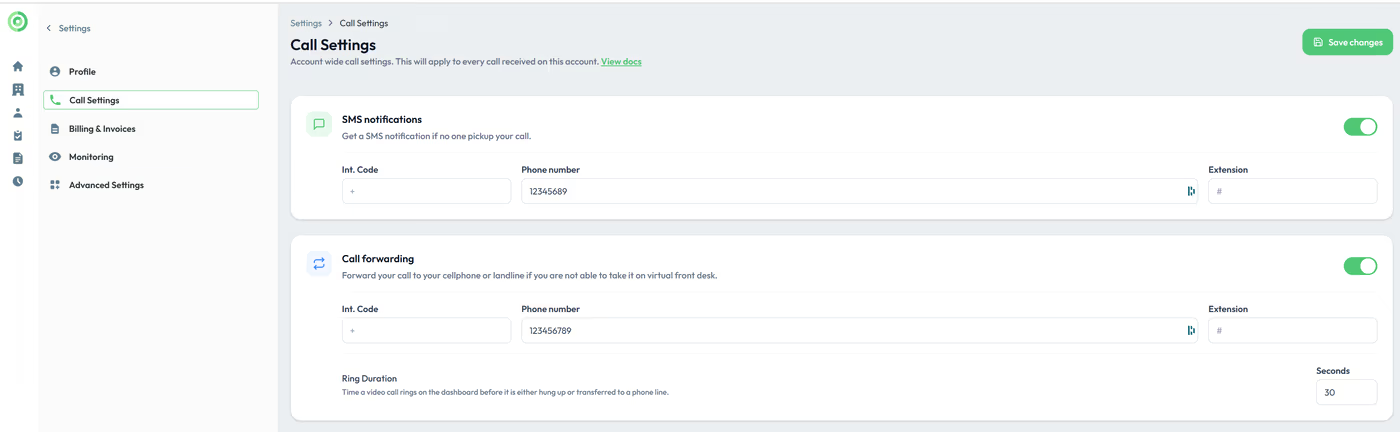
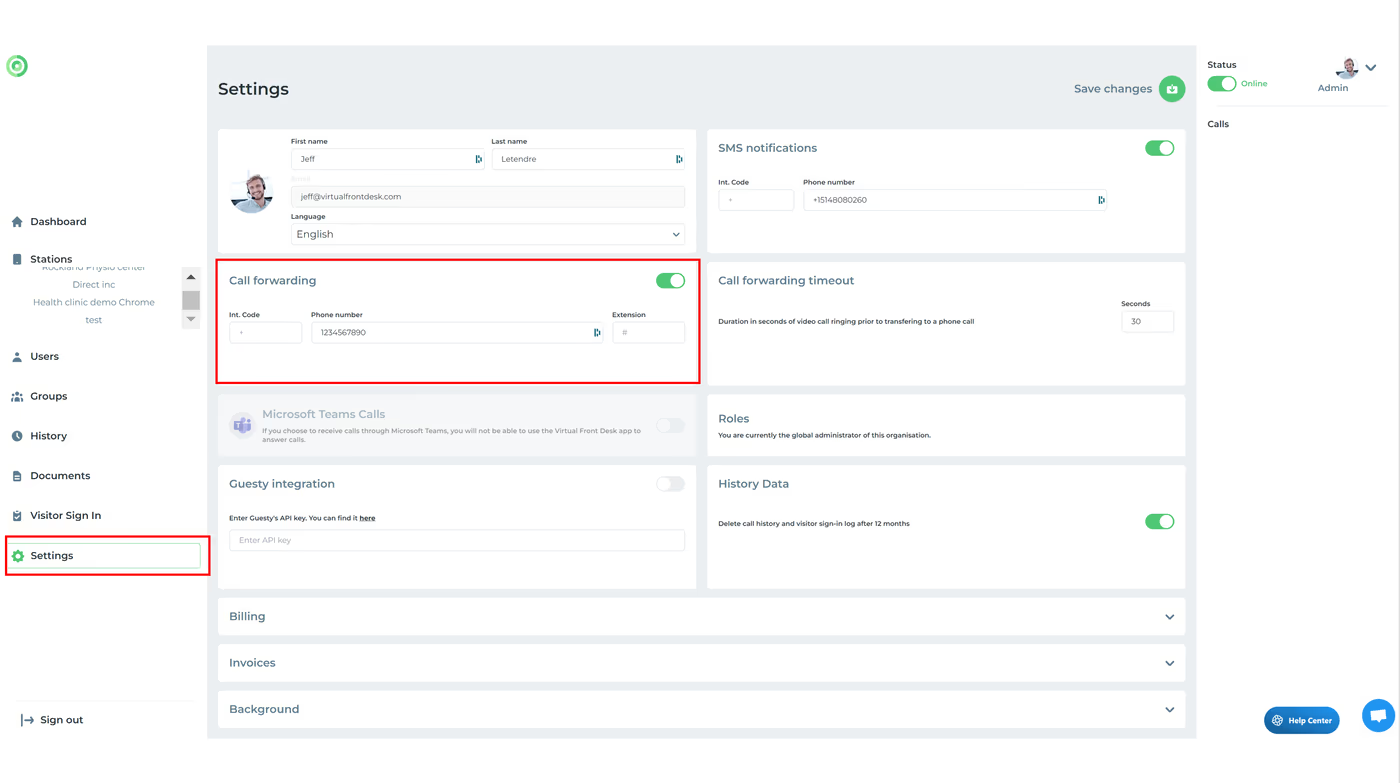
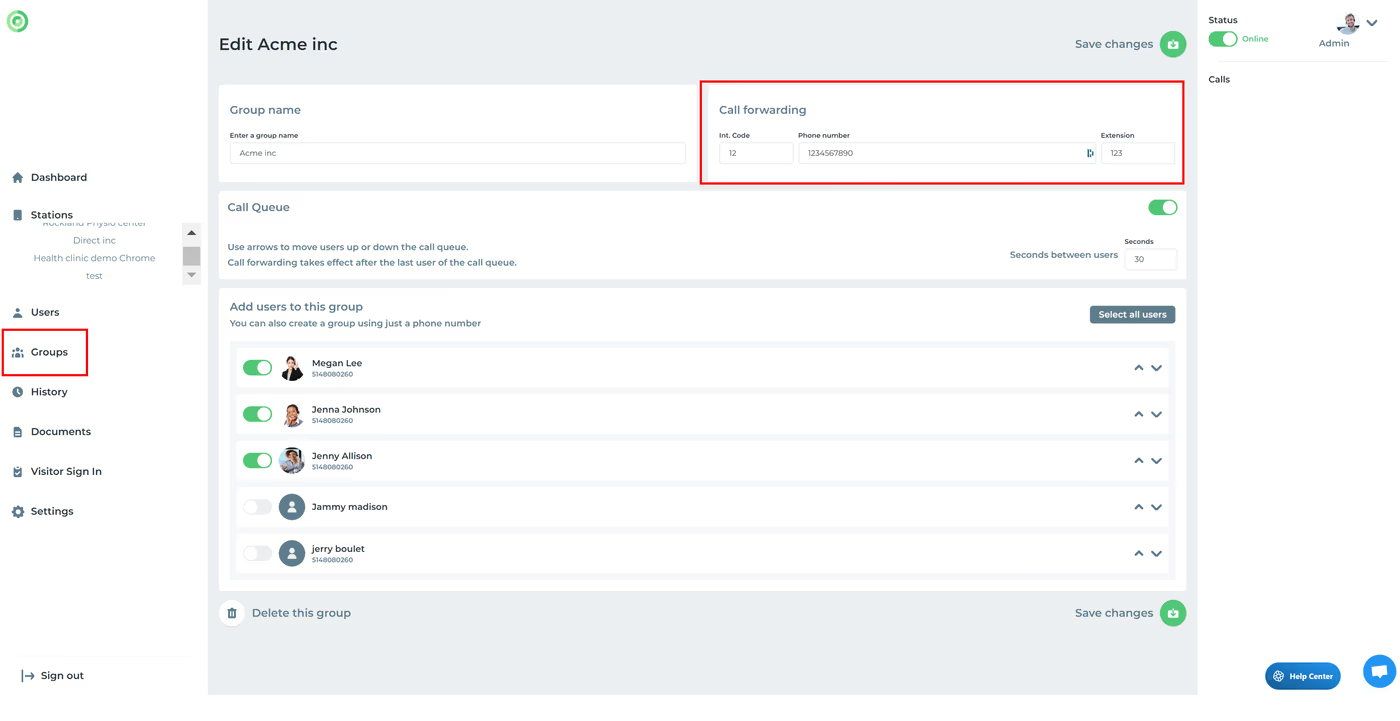
Please note: you can enter extensions in this format: 1234567890#123. If you're outside North America, ensure the correct international code is included. Call forwarding can also be configured at the group or user level. The call forwarding delay set under "Settings" will apply to all call forwarding options.
Key Takeaways for Phone Number Configuration
Virtual Front Desk makes it easy to incorporate standard phone numbers at multiple points in your call flow. You can assign a Phone Call button action on a station, create phone-only groups for submenu calling options, and set up automatic phone fallback for offline users or unanswered video calls — configured via your profile's settings menu.
When entering phone numbers, remember to use the correct format for extensions (e.g., 1234567890#123) and include the appropriate international dialing code if you're outside North America. Call forwarding can be set at both the group and user level, and the forwarding delay defined under Settings will apply universally across all forwarding options.