Slack integration
Slack Integration for Virtual Front Desk Notifications
The Slack integration for your Virtual Front Desk allows you to receive real-time notifications directly within Slack whenever a visitor or caller interacts with your system. This makes it easy to stay informed and respond promptly without having to monitor a separate dashboard.
Notifications can be delivered as personal direct messages or broadcast to a shared team channel, giving you flexibility in how your team stays connected. Whether you are managing calls solo or coordinating with a larger team, the Slack integration streamlines communication and ensures no interaction goes unnoticed.
Setting up the integration is quick and requires only a few steps within your Call Settings. You can also disconnect at any time just as easily.
How to Set Up and Manage the Slack Integration
Our Slack integration lets you receive messages directly in Slack, either as a personal message or in a channel, in just a few clicks.
To get started, go to your Virtual Front Desk dashboard, navigate to Settings, then Call Settings, and connect to Slack.
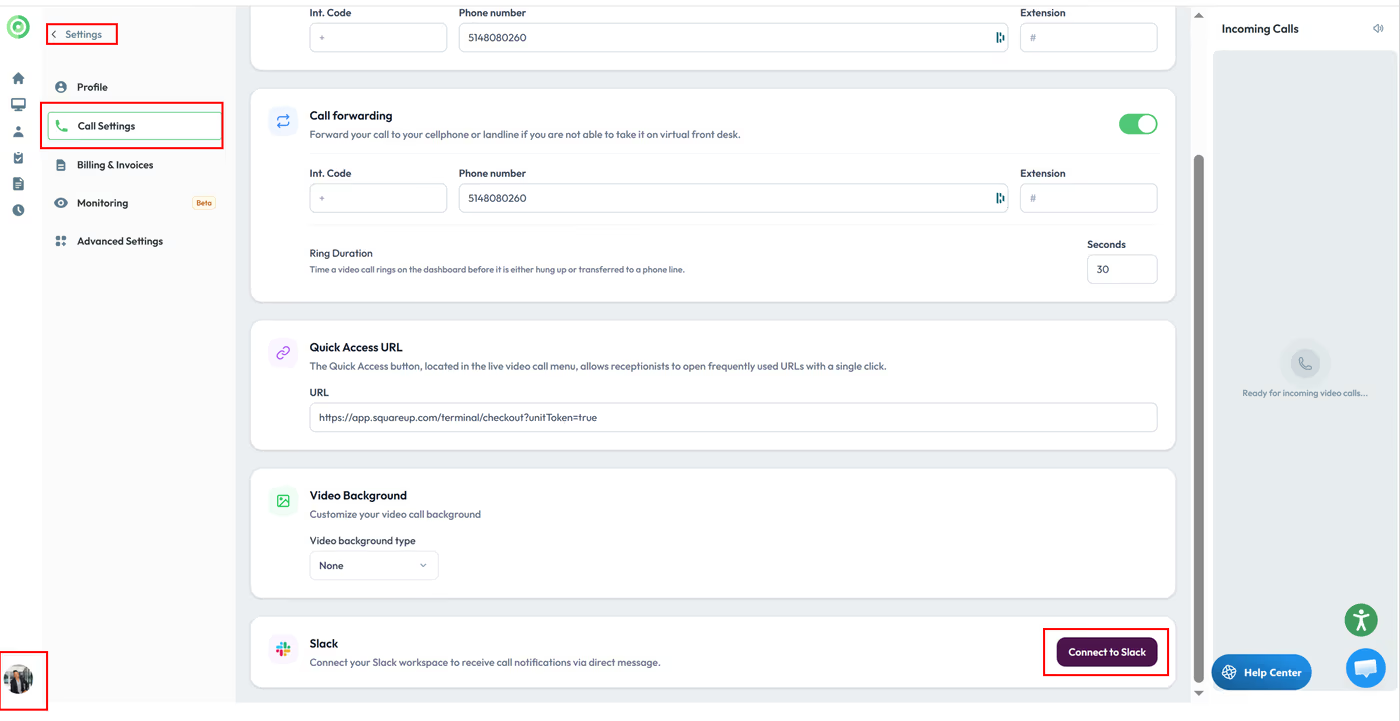
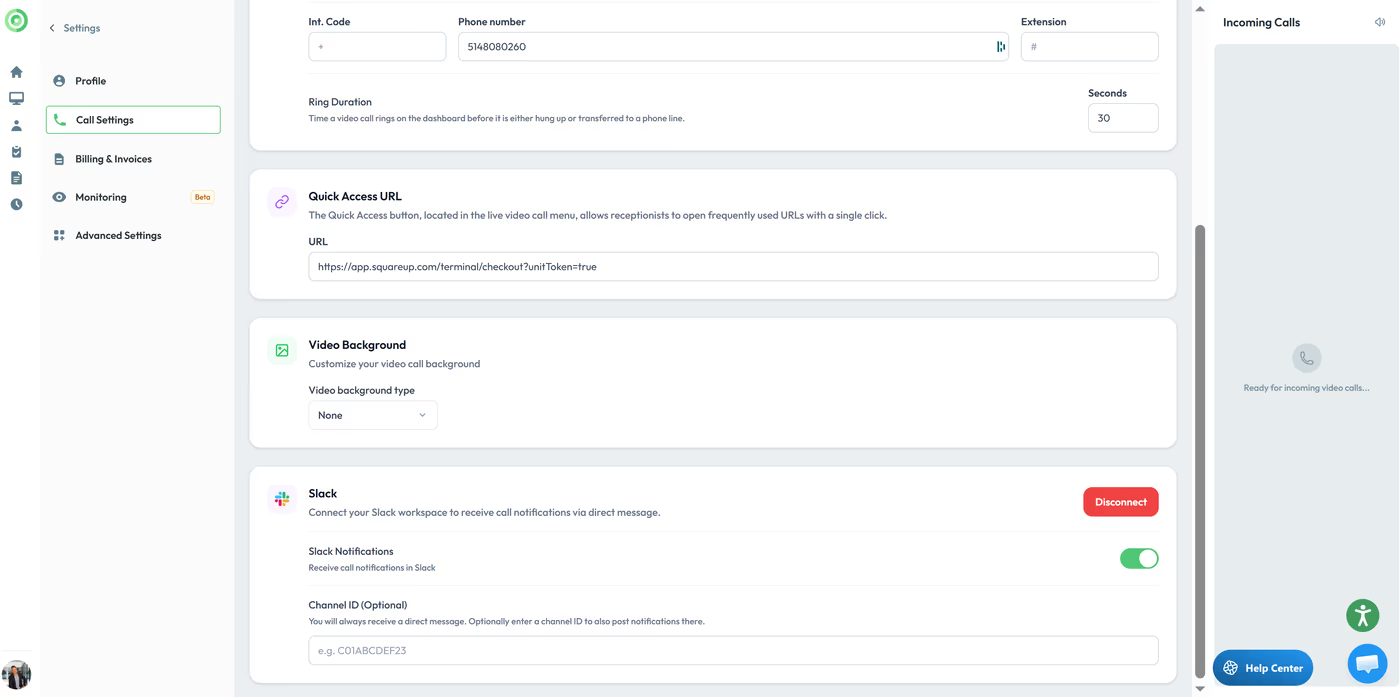
Once connected, you can also add a channel in the same section if you’d like notifications to be sent both to you and to a shared channel for your team.
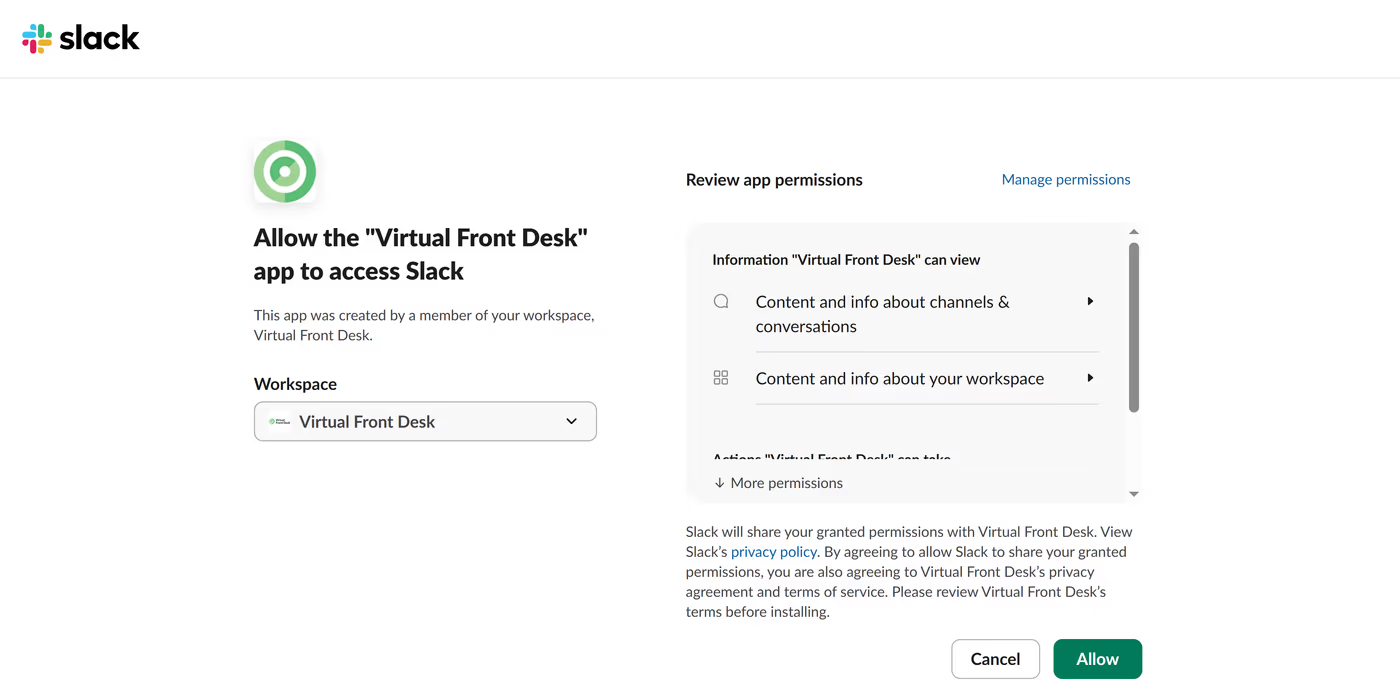
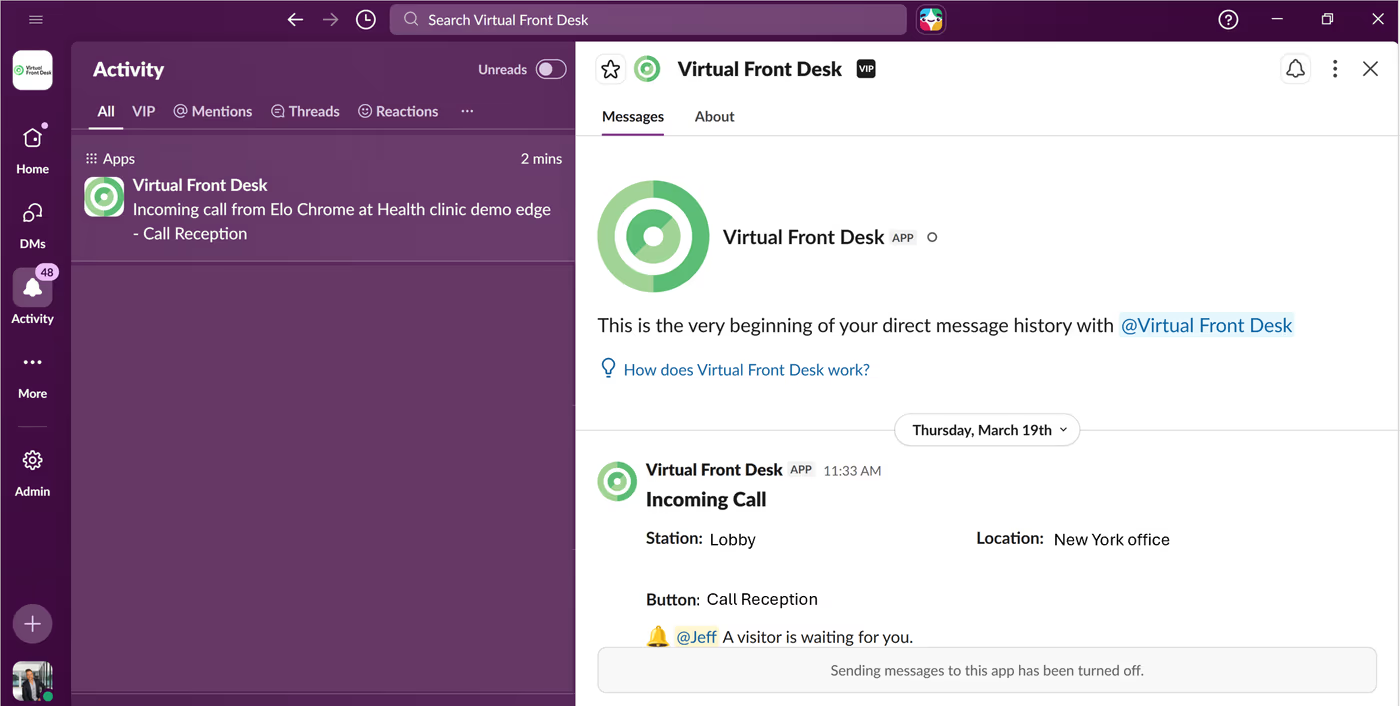
You’ll receive a Slack notification whenever someone clicks a button associated with you.
To disconnect, simply click “Disconnect” under the Slack integration in Call Settings.
Key Takeaways for the Slack Integration
The Slack integration connects your Virtual Front Desk to Slack in just a few clicks by navigating to Settings > Call Settings and selecting the Slack connection option. Once connected, you can receive personal notifications and optionally add a team channel to keep everyone informed when a button associated with you is clicked.
To stop receiving notifications, simply click "Disconnect" in the same Call Settings section. This integration is a lightweight but powerful way to ensure your team never misses an important visitor or caller interaction.