Table of content
WhatsApp Integration
Introduction
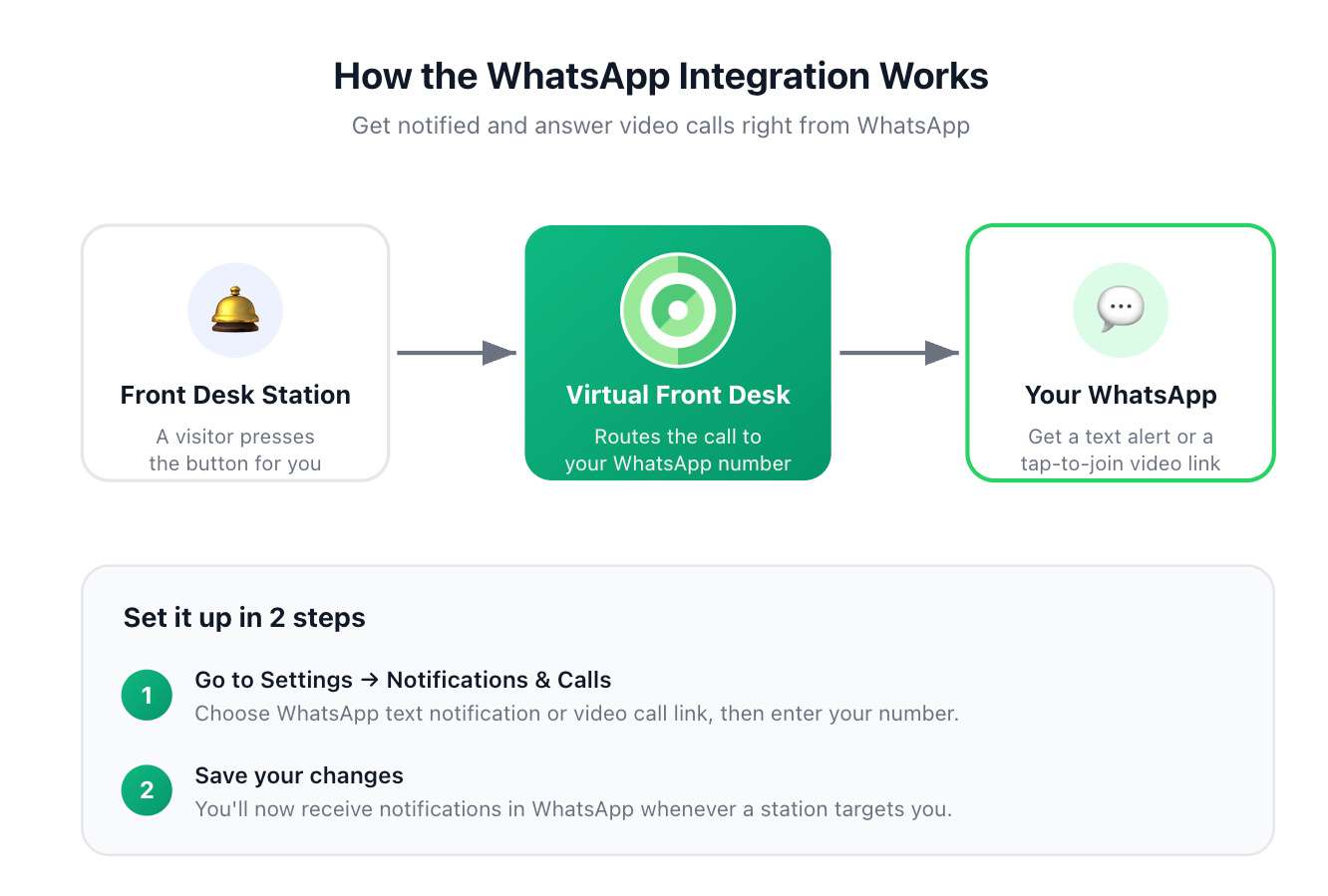
Our WhatsApp integration lets you receive either an SMS notification in WhatsApp or a video call link you can tap to start a video call between WhatsApp and the Virtual Front Desk station.
How to set it up?
Setting it up is simple:
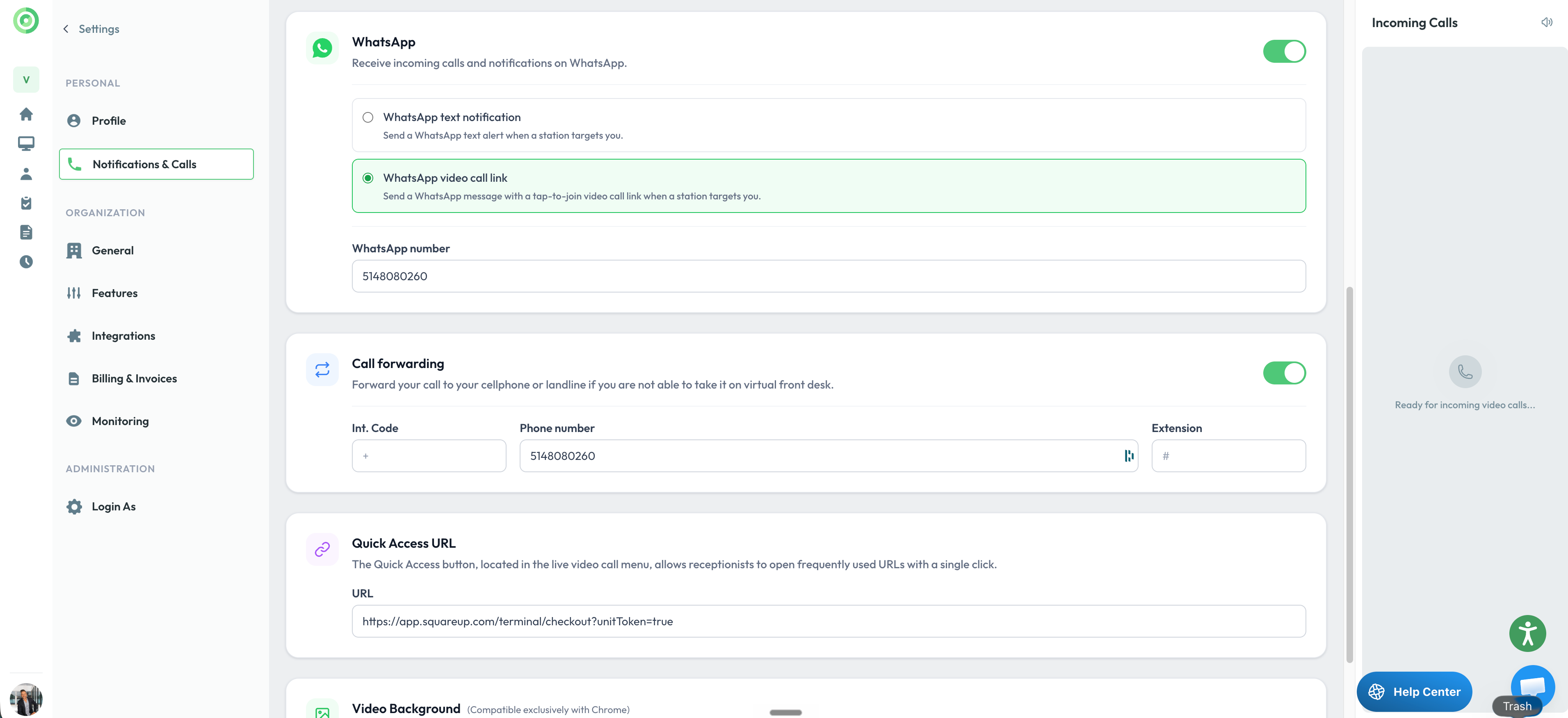
- Go to Settings → Notifications & Calls and choose your preferred option — SMS or video call link — then enter the phone number linked to your WhatsApp account.
- Save your changes. From then on, whenever someone presses the button assigned to you, you'll receive a notification directly in WhatsApp.
Please note: when you receive a call, you'll be prompted to allow access to your camera and microphone.

SOC 2 Certified
Independently assessed security controls, certified under SOC 2.