Clock in Clock out, Timesheets
Introduction to the Timesheet Feature
The Timesheet feature is a powerful tool designed to help administrators monitor and manage the time that employees and receptionists spend actively using the application. By leveraging clock-in and clock-out functionality, organizations can maintain accurate records of staff activity and usage patterns directly within the platform.
This feature is available exclusively with the Enterprise license, reflecting its advanced workforce tracking capabilities. Once enabled, users can clock in and out from the main dashboard, and all recorded session data is automatically logged and accessible through the dedicated Timesheet section in the left-hand navigation menu.
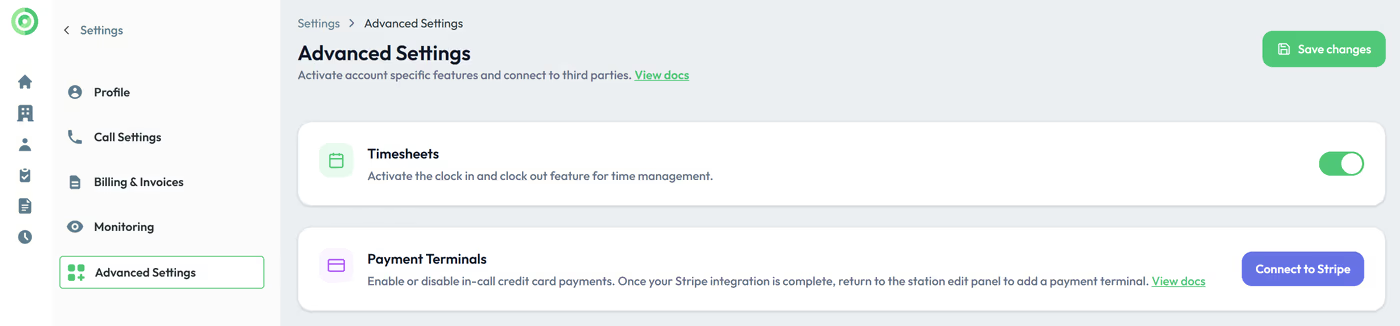
Admin users have full control over this feature, including the ability to enable or disable it at any time through the Settings menu. This flexibility ensures that the Timesheet functionality can be tailored to meet the specific operational needs of your organization.
How to Use the Timesheet Feature
The Timesheet feature lets you monitor how much time your employees or receptionists spend using the application. When a user clicks the Clock In button, a timer begins tracking their activity. All recorded data is available in the Timesheet section on the left. This feature is included with the Enterprise license and can be enabled or disabled by admin users in the Settings menu.
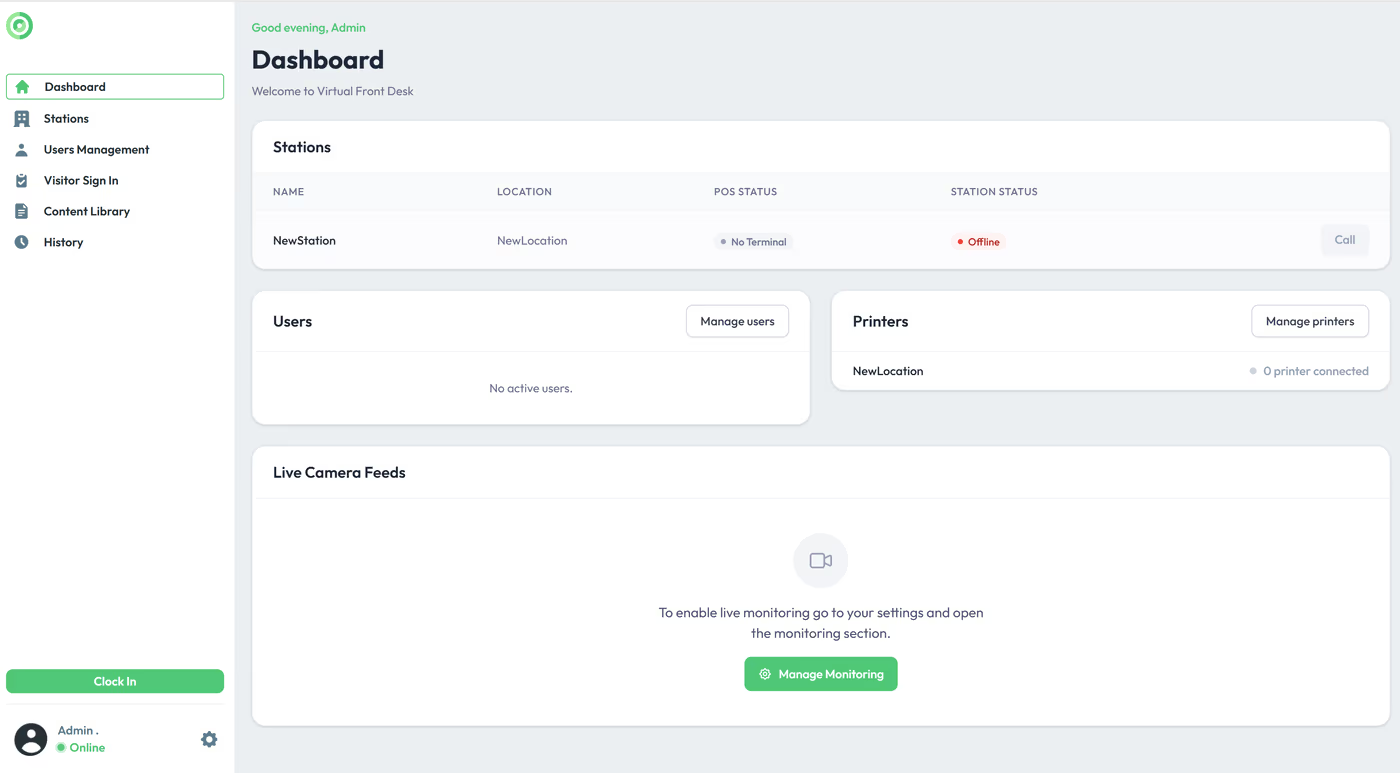
Clock in & clock out from the dashboard view.
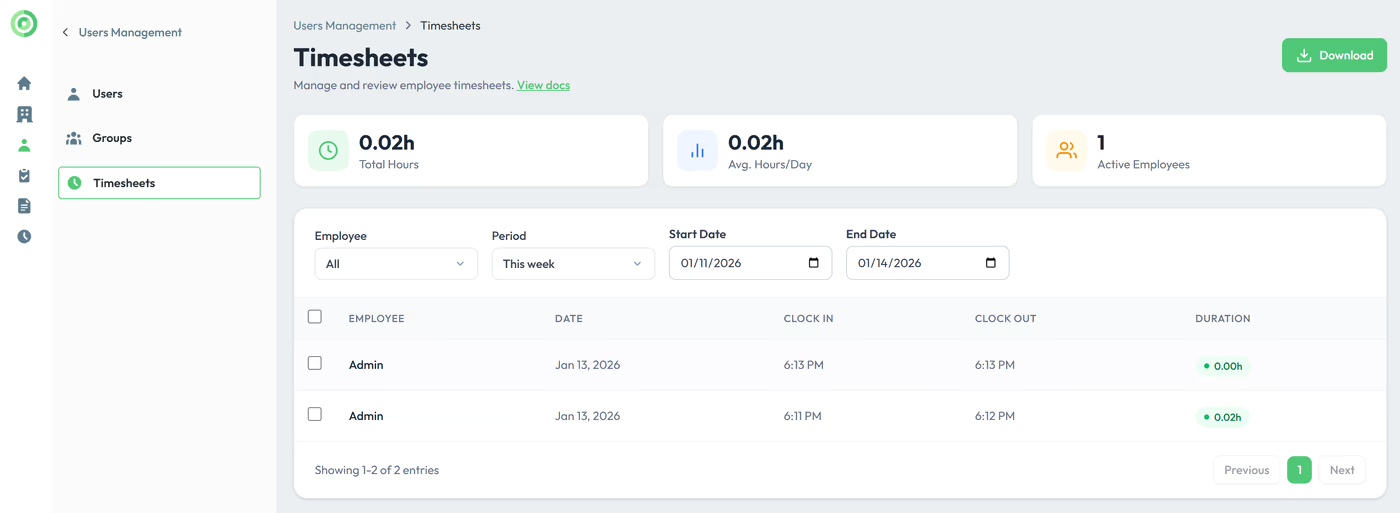
Access the timesheets data from the user management menu.
Key Takeaways for Timesheet Tracking
The Timesheet feature provides a straightforward way to track employee and receptionist activity within the application. Users clock in and out directly from the dashboard, and all session data is recorded and viewable in the Timesheet section under the user management menu.
Remember that this feature requires an Enterprise license and must be enabled by an admin user in the Settings menu before it becomes available. Once active, it offers a reliable method for monitoring staff engagement and application usage across your organization.