History ; Call logs, Sign in logs, Pre-Registration logs and Transaction logs
Understanding the History Tab
The History tab is a centralized hub within your platform that gives administrators and receptionists full visibility into past activity across multiple areas of operation. Whether you need to review a specific call, audit visitor sign-ins, track pre-registration statuses, or reconcile payment transactions, the History tab provides all the detail you need in one place.
This feature is especially valuable for compliance, accountability, and operational oversight. Each section of the History tab is designed to surface relevant records quickly, complete with supporting documents, media, and metadata to give you a complete picture of every interaction.
This article walks you through each of the four sections found in the History tab: Call Logs, Sign-In Sign-Out Logs, Pre-registration Logs, and Transaction Logs — explaining what information is available and how to make the most of each one.
How to Use Each Section of the History Tab
The History tab has 4 sections: Call Logs, Sign-In Logs, Pre registration Logs and Transaction Logs.
Call Logs
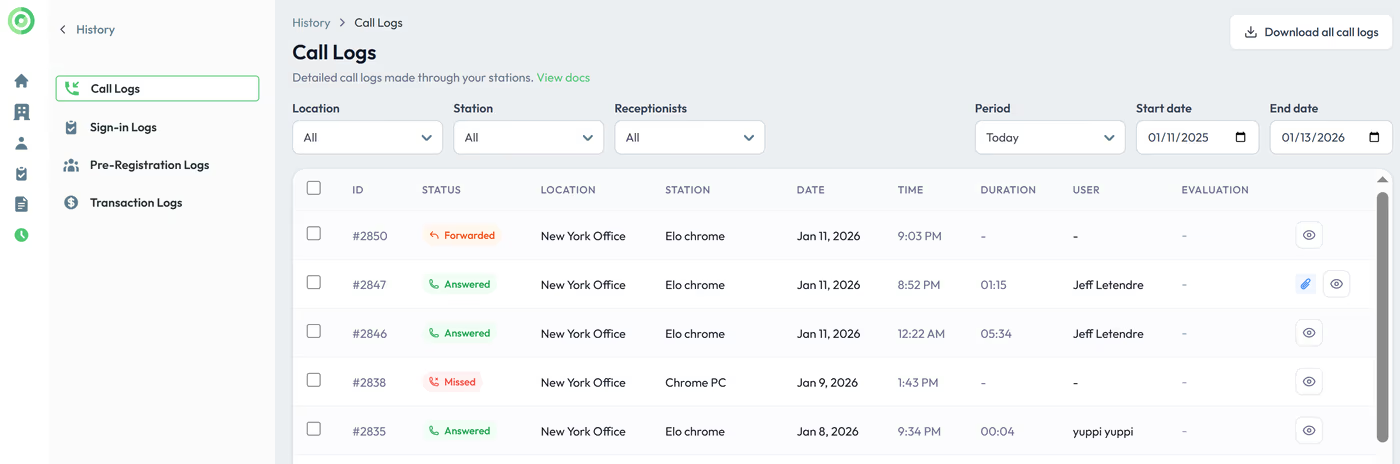
This section contains detailed information about all calls, including the status, date, time, duration, receptionist handling the call, screenshots, IDs, signed documents, and messages taken during video calls. Signed documents, screenshots, and IDs can be viewed and downloaded by clicking the eye icon. Logs with the paper clip icon means documents where saved in this call.
Sign-In Sign out Logs
Here, you'll find a comprehensive history of all sign-in forms, along with responses to the form questions, signed documents, and any pictures taken during the sign-in process.

Pre registration Logs
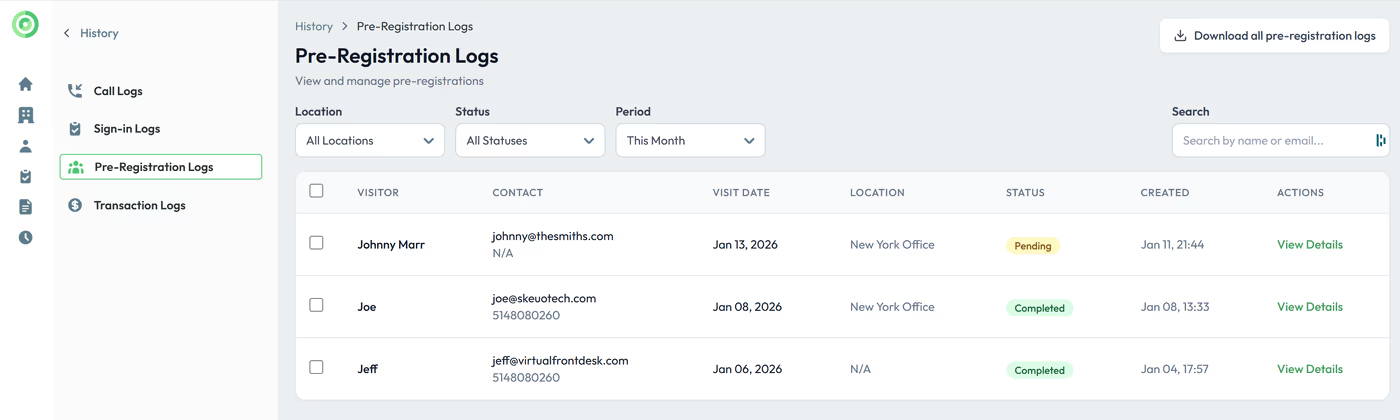
View the list and status of your pre-registrations. Pending means the pre-registration has been sent but not yet completed. Completed means the visitor has filled out the form.
To confirm whether the visitor has actually signed in at the building, refer to the Sign-In Logs.
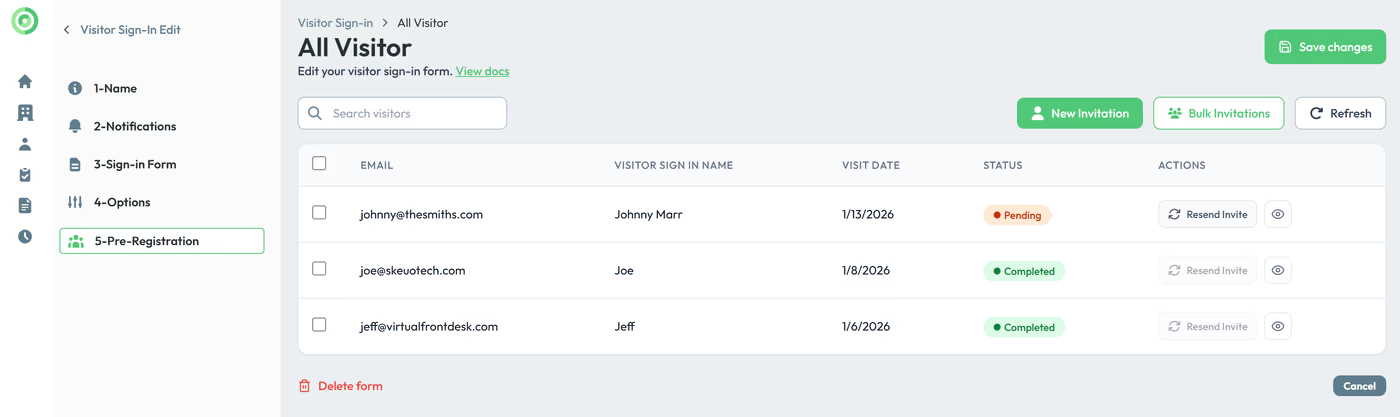
You can also find the list of pre registrations under your Sign in form menu where you can resend an invitation if needed.
Transaction Logs
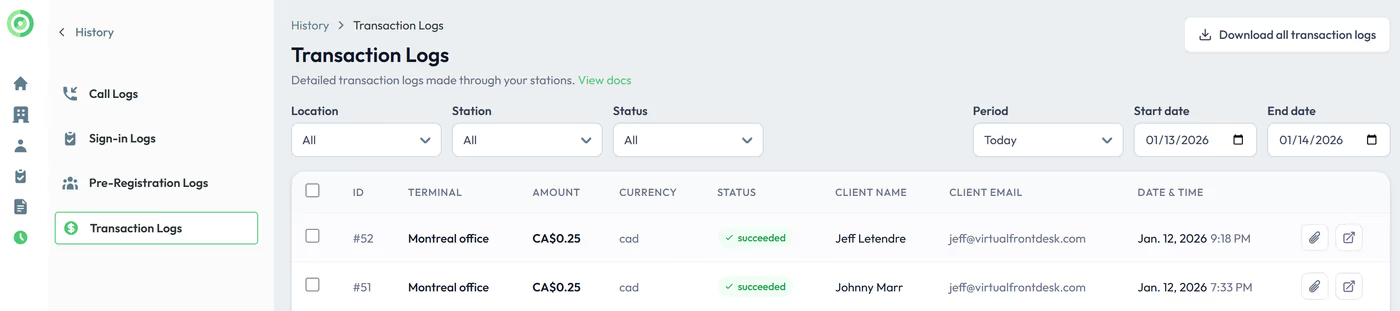
Find all credit card transactions done through your Stripe S700 terminals.
Key Takeaways from the History Tab
The History tab is divided into four distinct sections, each serving a specific reporting purpose. Call Logs capture detailed records of all calls including screenshots, IDs, and signed documents. Sign-In Sign-Out Logs store complete visitor sign-in histories with form responses and photos. Pre-registration Logs let you monitor whether invitations have been sent and completed, while the Sign-In Logs confirm actual building arrivals. Finally, Transaction Logs provide a full record of all credit card payments processed through Stripe S700 terminals.
By regularly reviewing these sections, your team can maintain accurate records, quickly resolve disputes, and ensure full operational transparency across calls, visitor management, and payments.