Customization, logo and background images
Customizing Your Virtual Front Desk Station Appearance
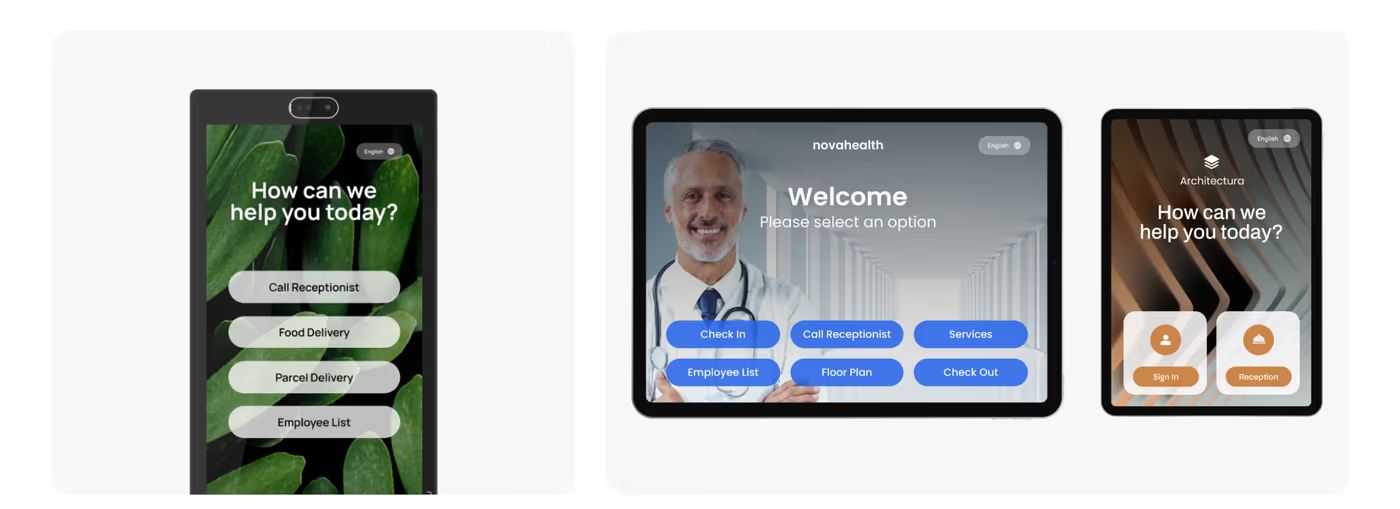
Your Virtual Front Desk Station can be fully personalized to reflect your brand identity. By uploading your own logo, background image, and button images, you can create a cohesive and professional look that welcomes visitors the moment they arrive.
For the most seamless result, consider designing a single background image that incorporates both your logo and welcome text, rather than using the separate upload tools for each element. This approach gives you greater creative control and ensures all visual elements align perfectly on screen.
When preparing images, it is important to match the resolution and aspect ratio of your specific device. Using the correct dimensions ensures that images appear sharp, properly scaled, and visually consistent across your Virtual Front Desk Station interface.
Image Size and Aspect Ratio Guidelines for Virtual Front Desk Customization
You can personalize your Virtual Front Desk Station by uploading your logo, background image, and images behind your buttons. For a fully customized appearance, you can design a background image that incorporates both your logo and welcome text, rather than using the logo upload tool and the welcome text tool separately. This allows you to seamlessly integrate all elements into a single image, giving you more flexibility. For the best results, we recommend using images that match the resolution and aspect ratio of your device.
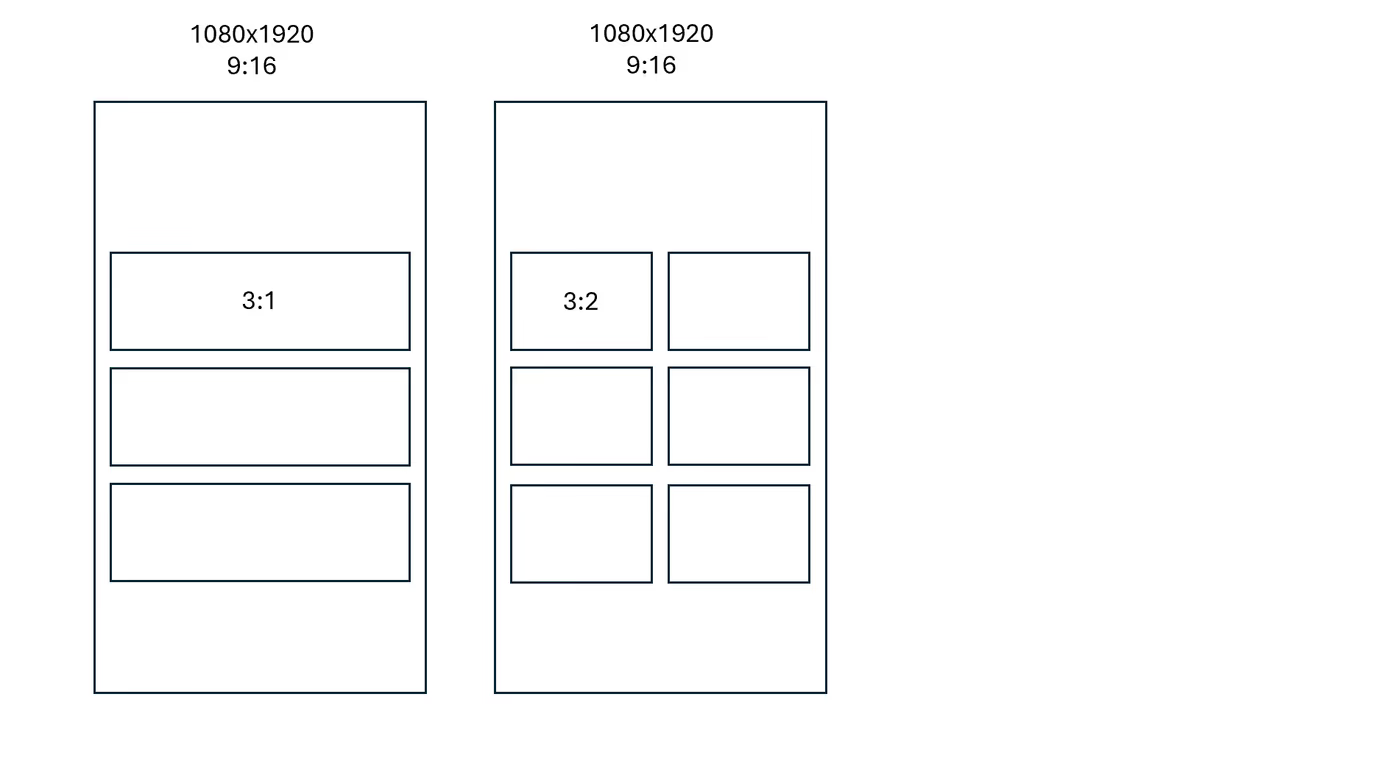
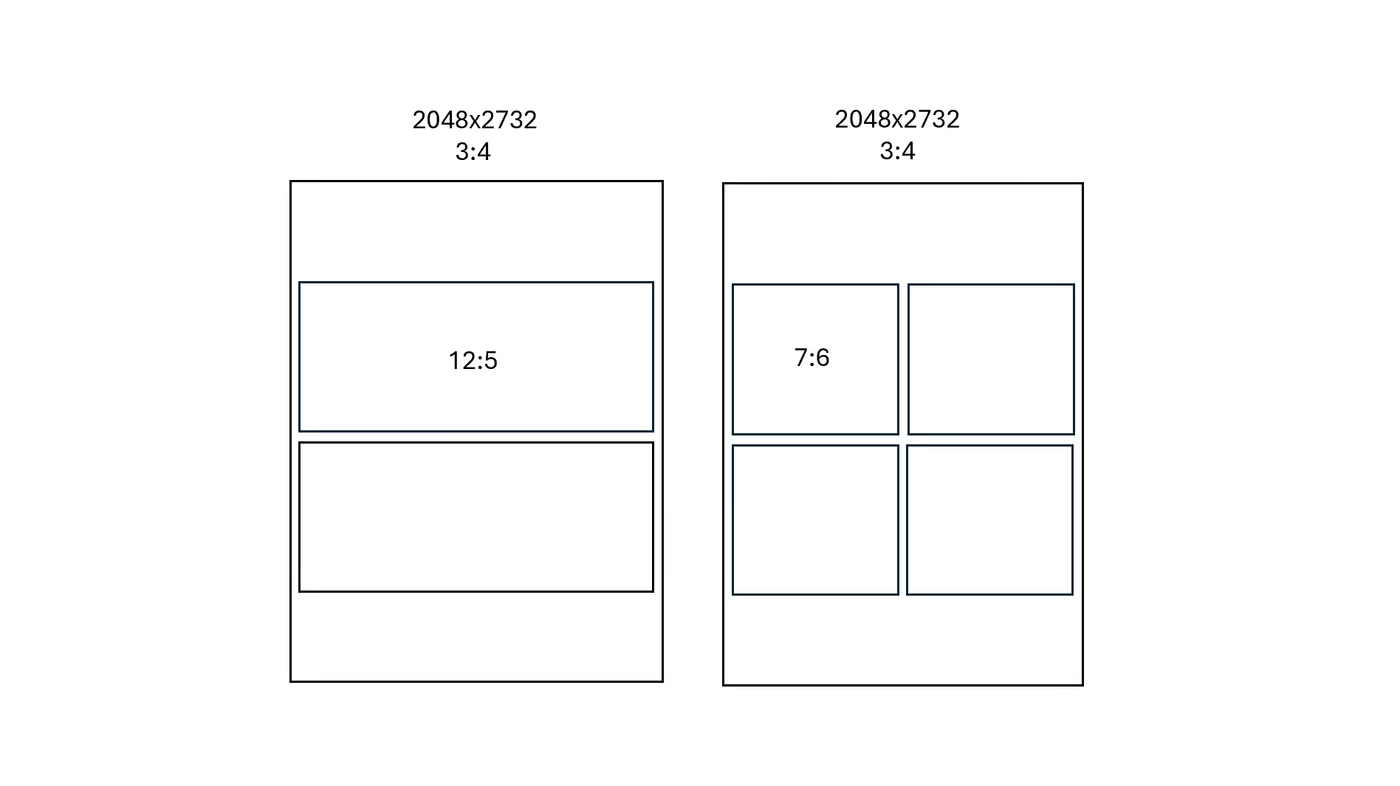
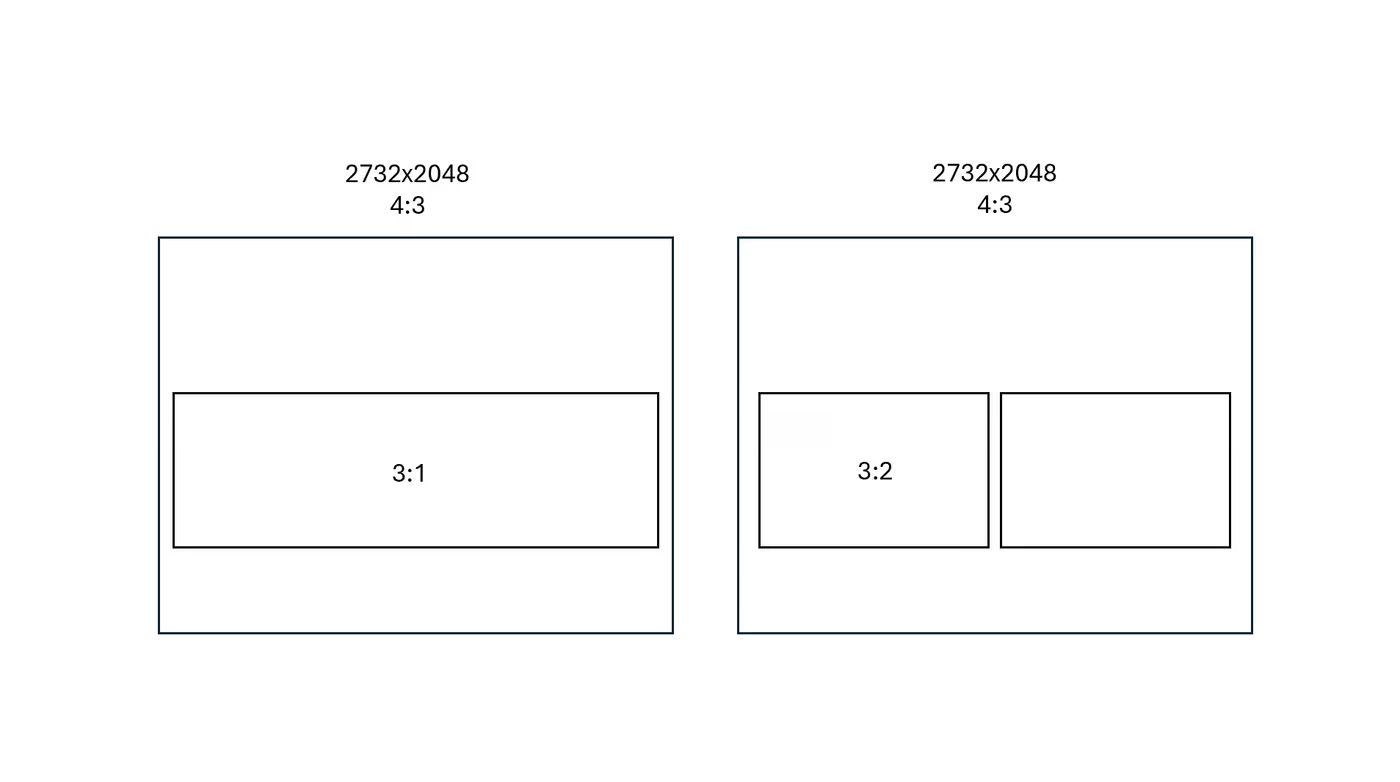
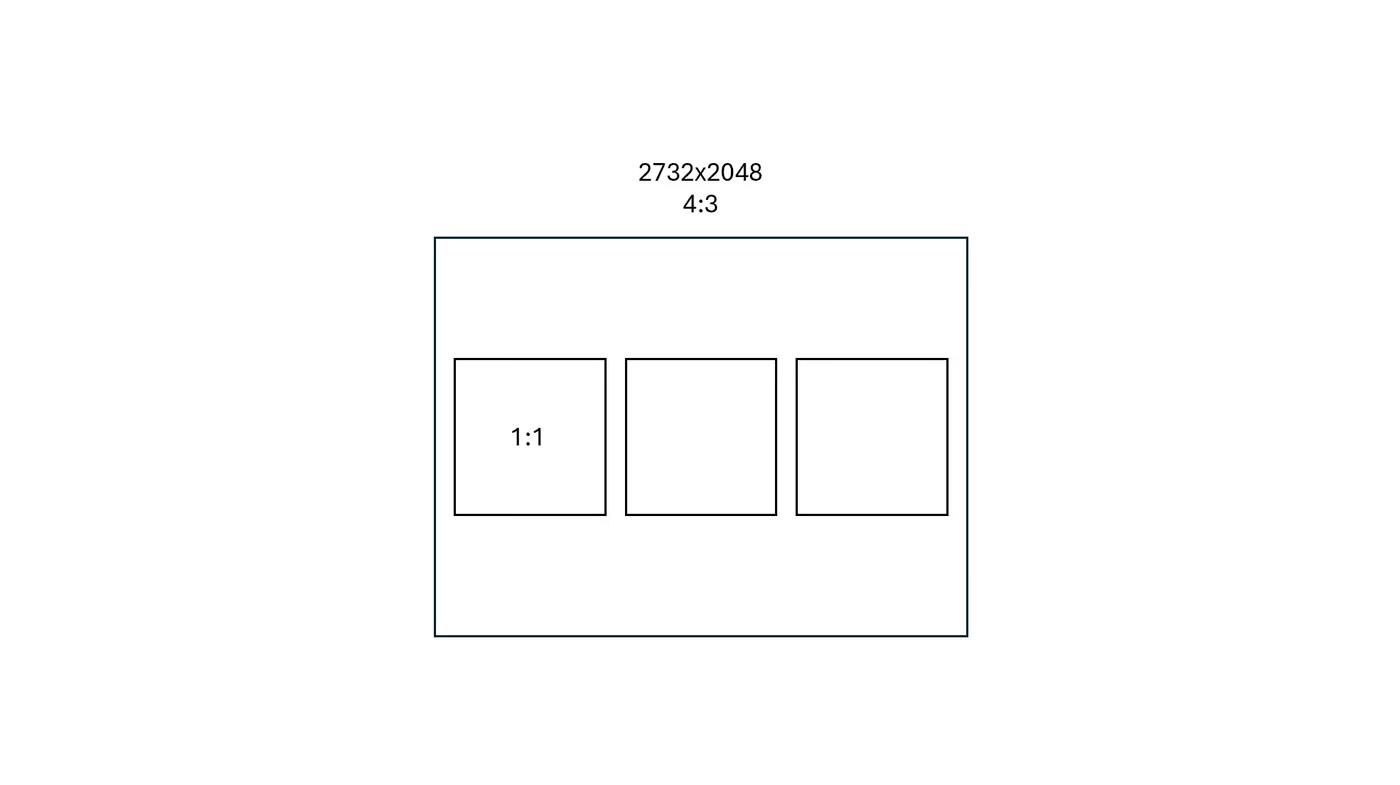
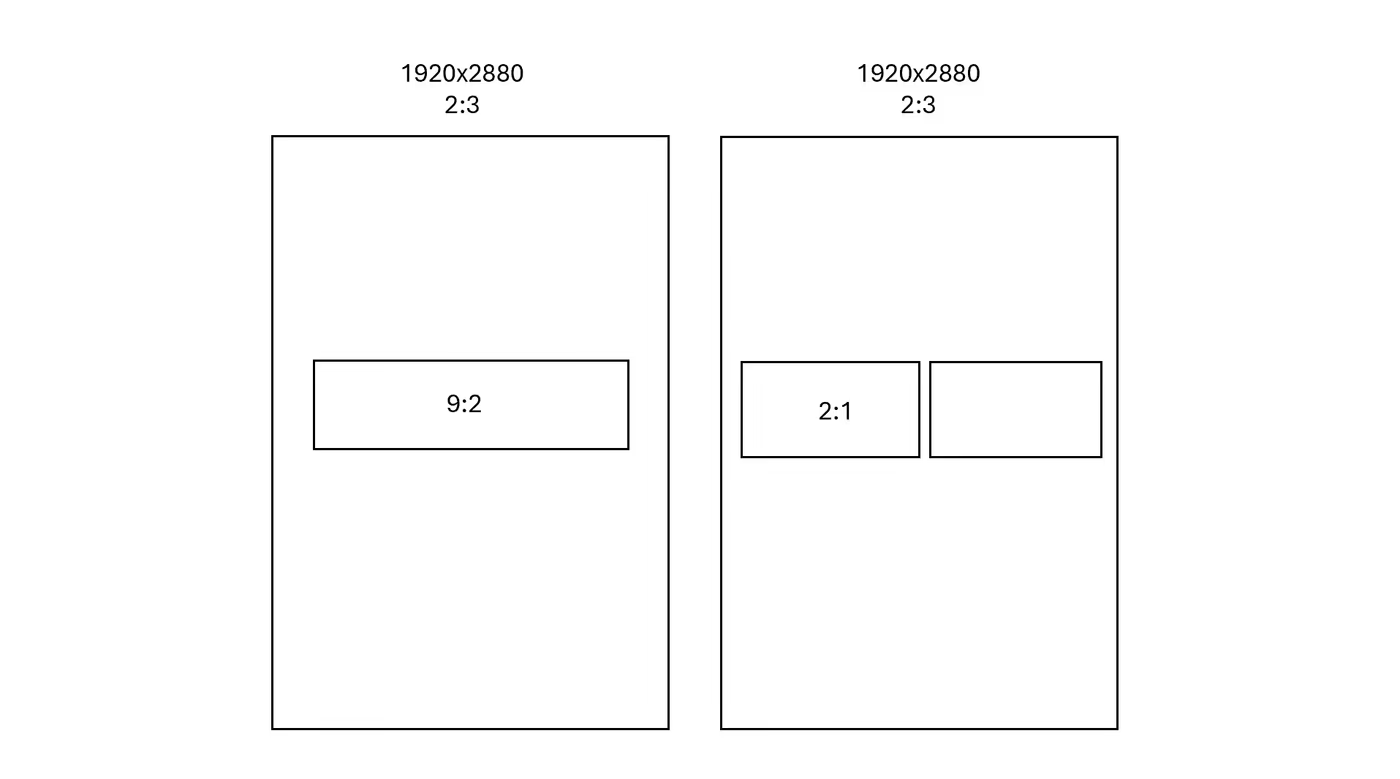
When selecting images for the buttons, the ideal size will vary based on factors such as whether you're using portrait or landscape mode, your device's resolution and aspect ratio, and the number of button columns you've configured. Below are examples to help you determine the appropriate aspect ratio for your button images.
To create perfectly sized images, you can use design tools like Canva. Start a new project, and set your canvas to the correct aspect ratio. For instance, if the aspect ratio is 7:6, you can create a canvas that is 700 x 600 pixels. By maintaining this ratio and scaling the dimensions accordingly, you’ll ensure that your images appear sharp and clear on your Virtual Front Desk Station.
Devices with 1080x1920 resolution and 9:16 aspect ratios. (Ex: Neat Frame, Elo Touch, All in one PC)
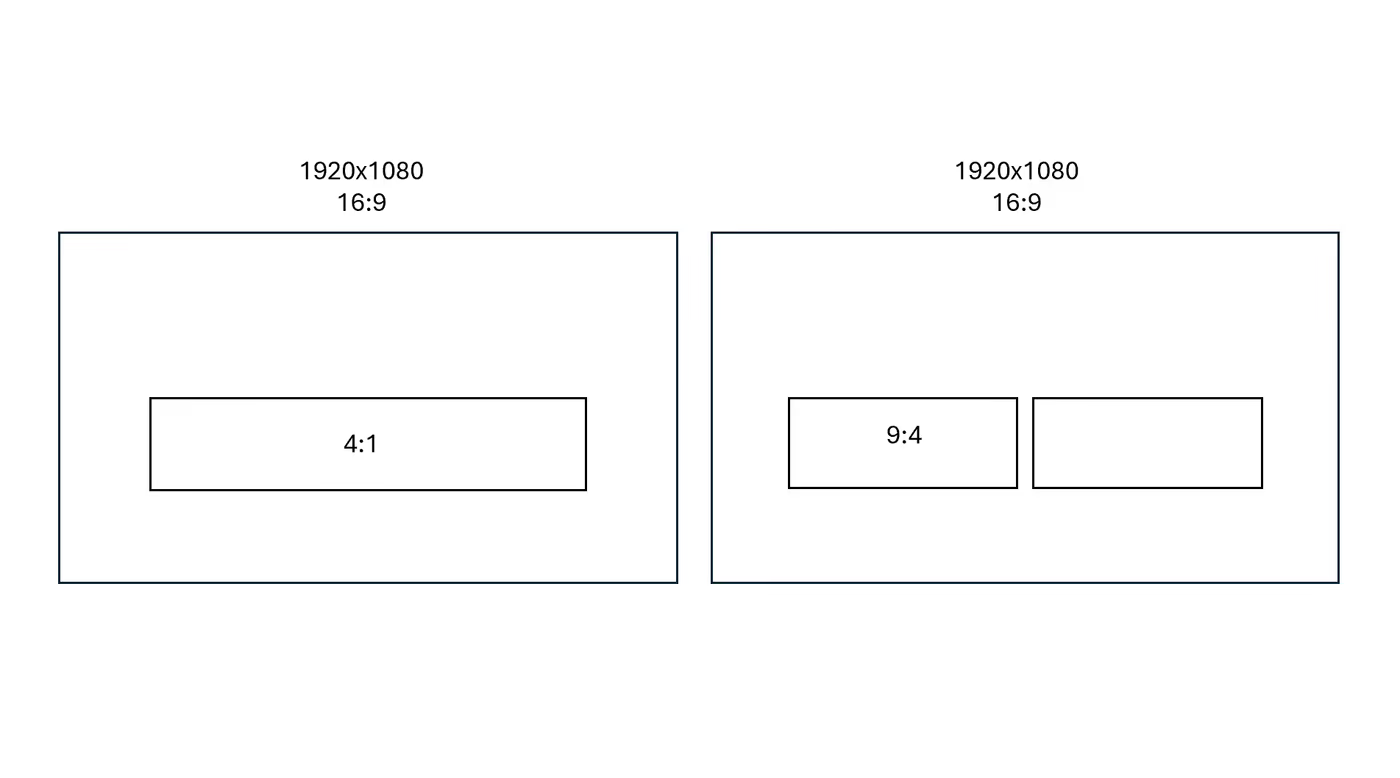
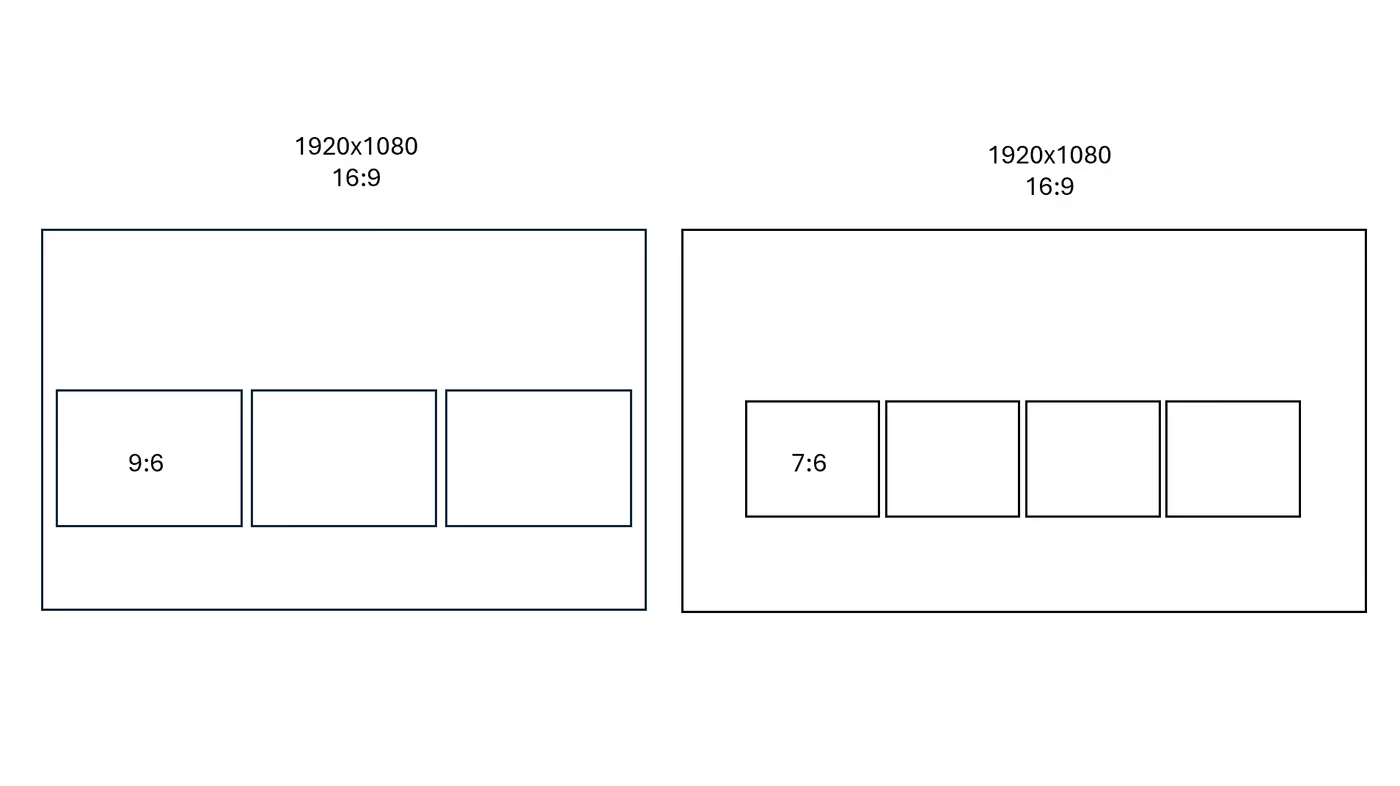
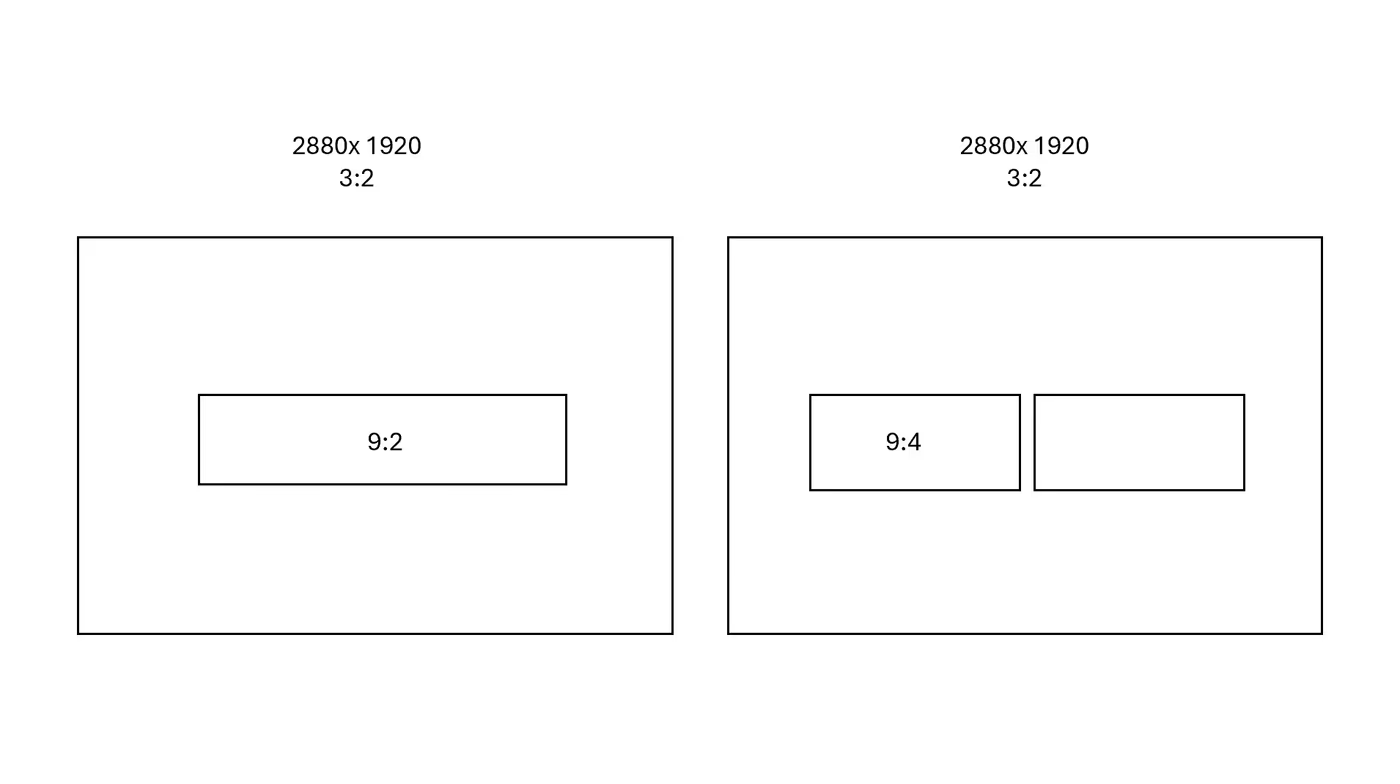
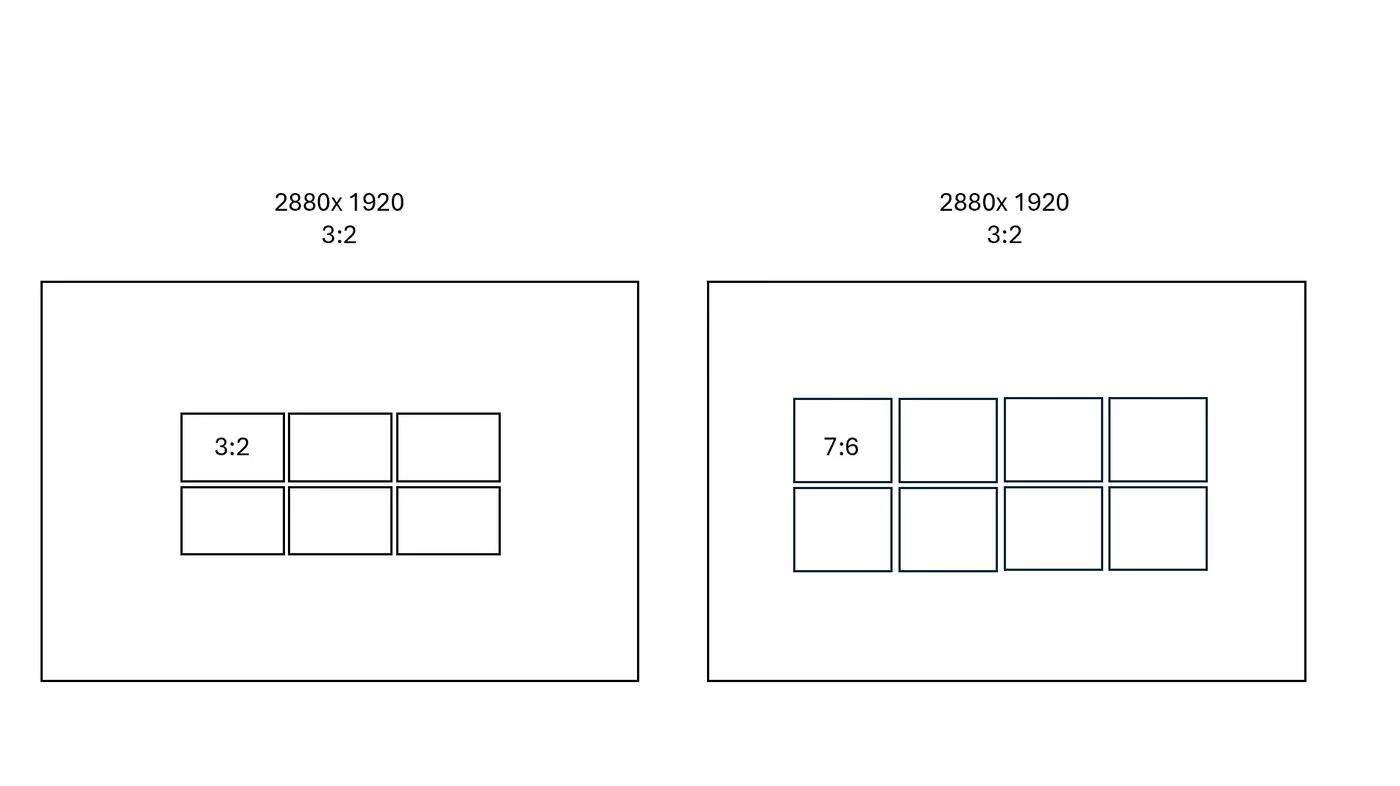
Key Takeaways for Customizing Your Virtual Front Desk Station
To achieve the best visual results on your Virtual Front Desk Station, always use images that match your device's resolution and aspect ratio. For devices with a 1080x1920 resolution and a 9:16 aspect ratio — such as the Neat Frame, Elo Touch, or an All-in-One PC — ensure your background and button images are sized accordingly.
Design tools like Canva make it easy to create correctly sized assets by setting a custom canvas to the required aspect ratio. Button image sizing will vary depending on your orientation, device resolution, and the number of button columns configured, so refer to the provided examples to select the right dimensions for your setup.