
Visitor management software with native Microsoft Teams integration
What is Virtual Front Desk visitor management software?
Visitor management (sign-in) software replaces paper logs with a digital process for registering visitors, collecting required information, completing documents, notifying hosts, and creating searchable visitor records.
Virtual Front Desk adds configurable workflows, AI assistance, live video reception, and API access so organizations can connect visitor activity with their wider IT and operational systems.
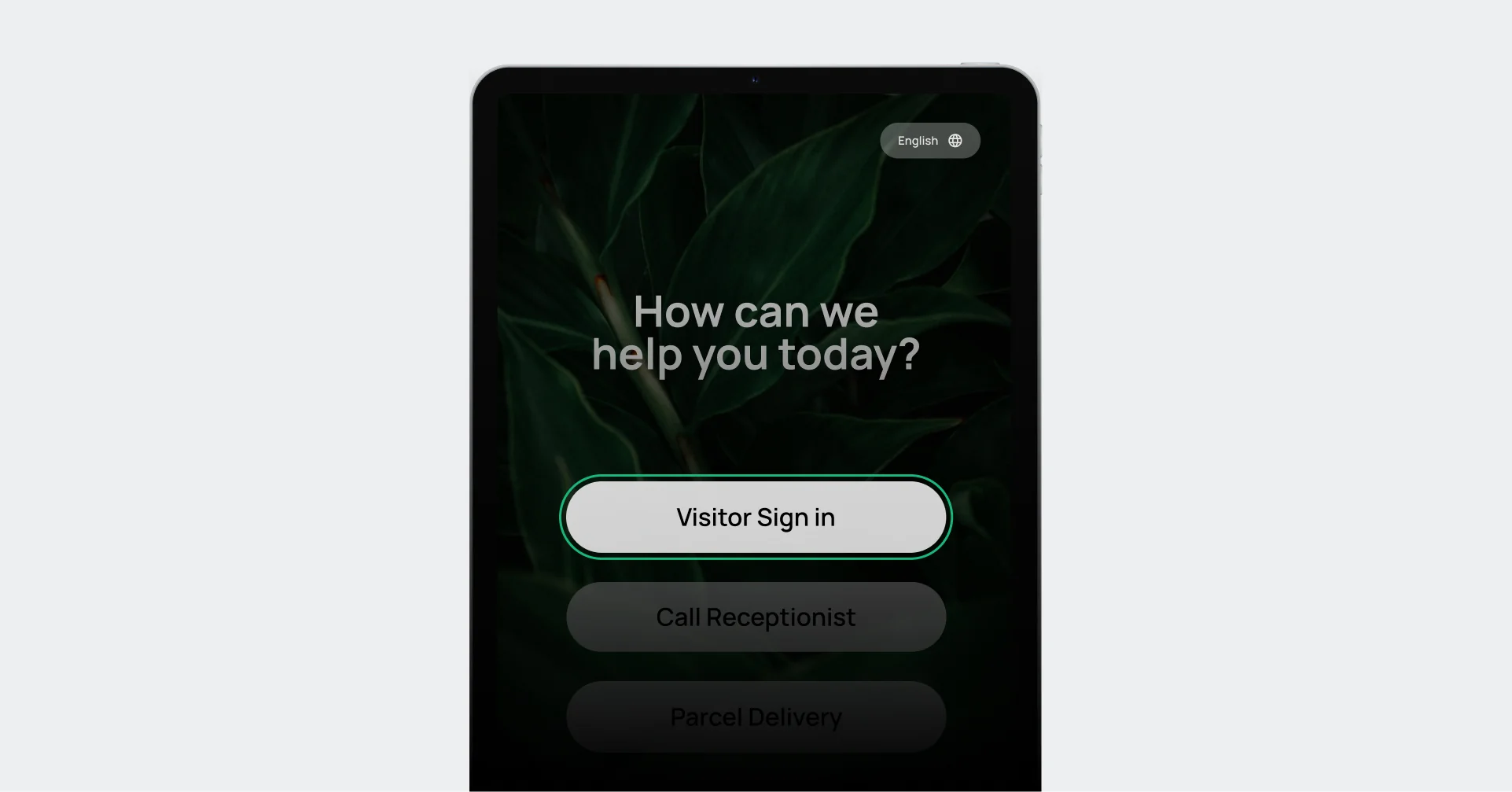
Start sign-in:
Visitors tap Visitor Sign in to begin.
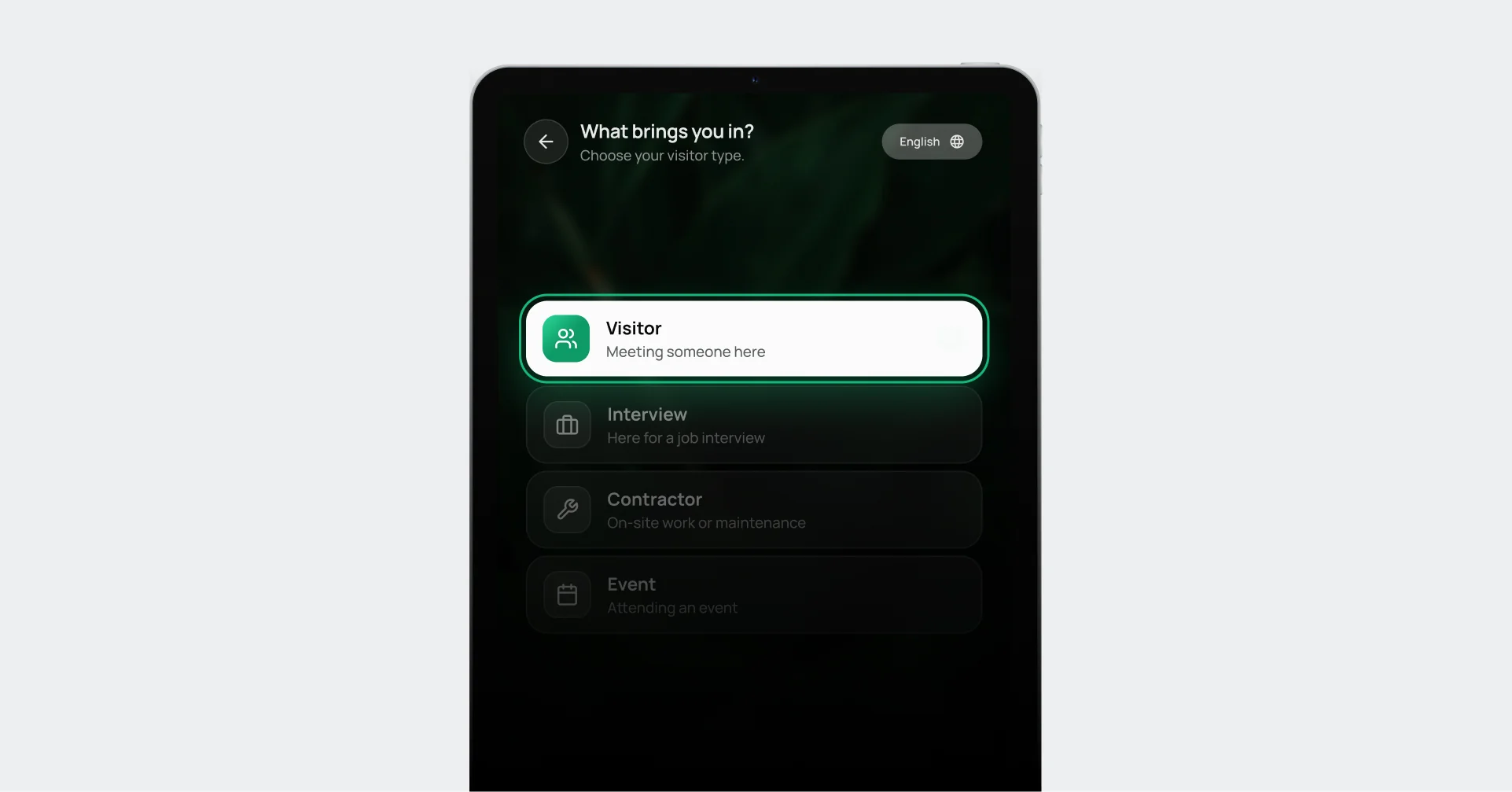
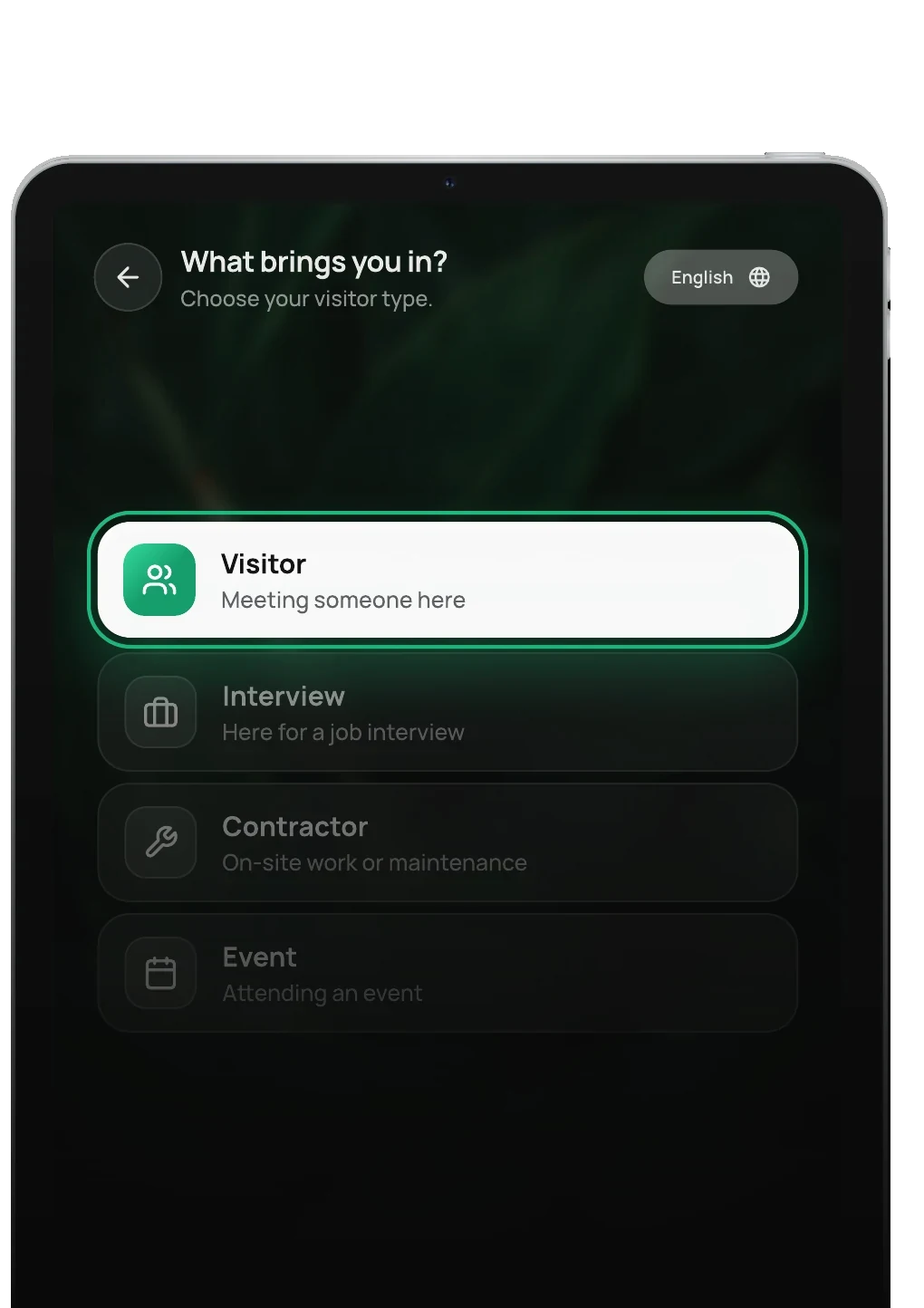
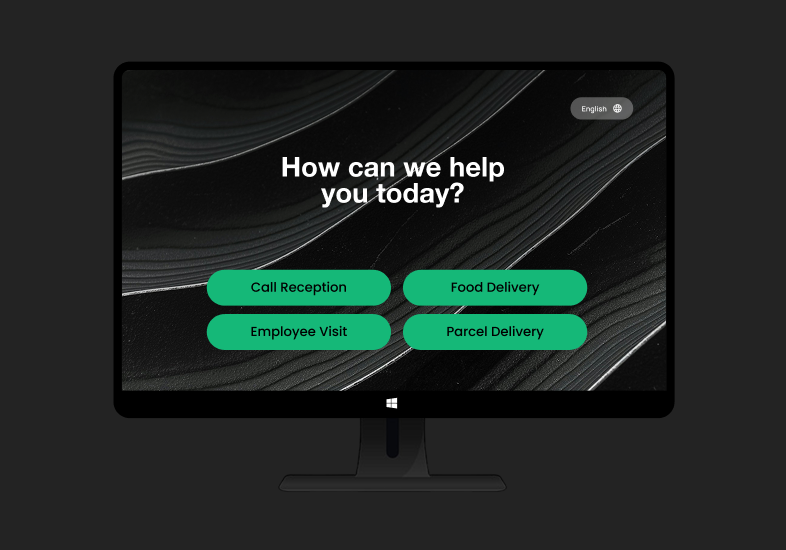
Why are you here:
Visitors pick the option that matches their visit.
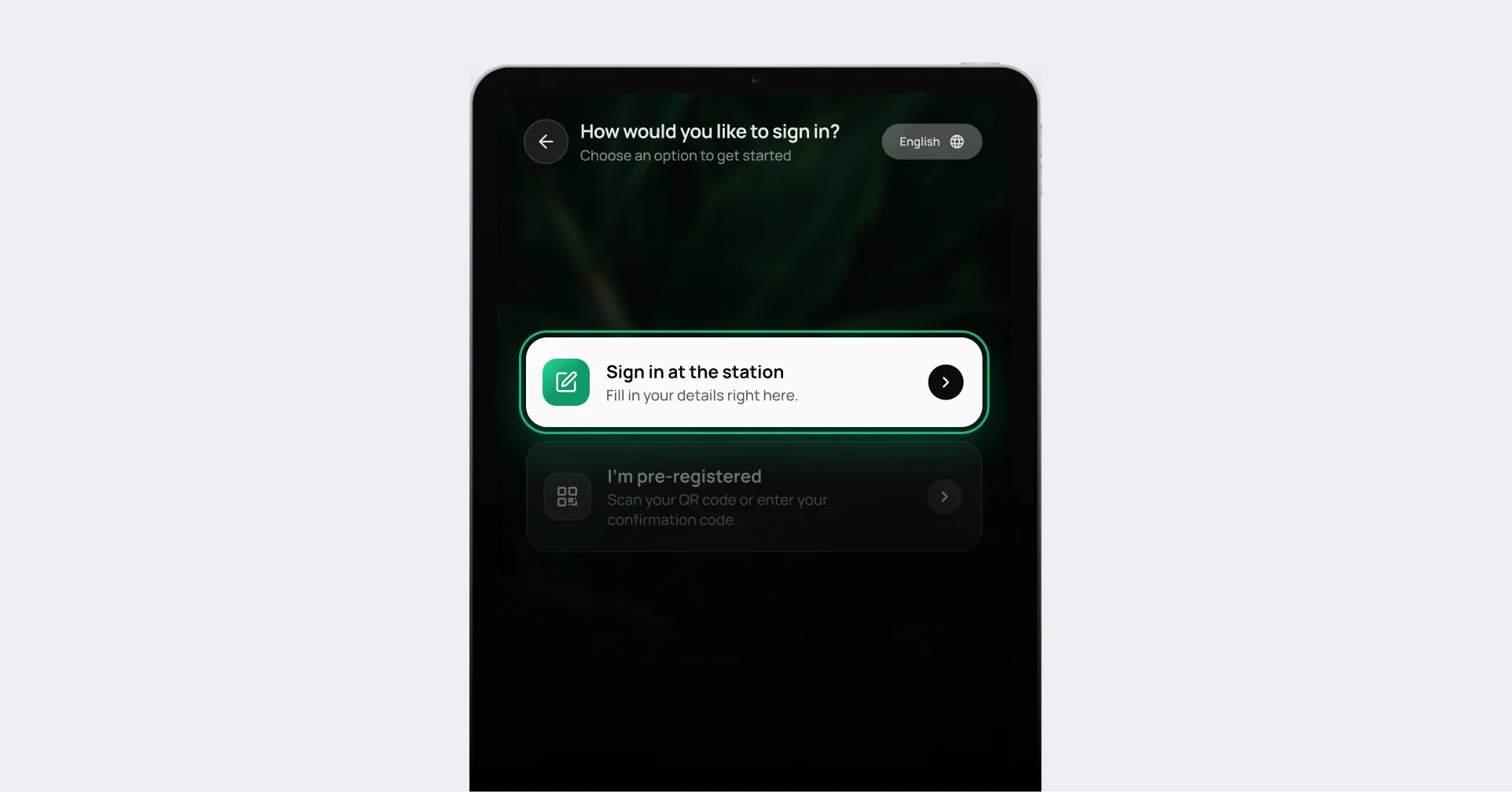
Choose how to sign in:
Sign in at the station, or scan a pre-registration QR code.
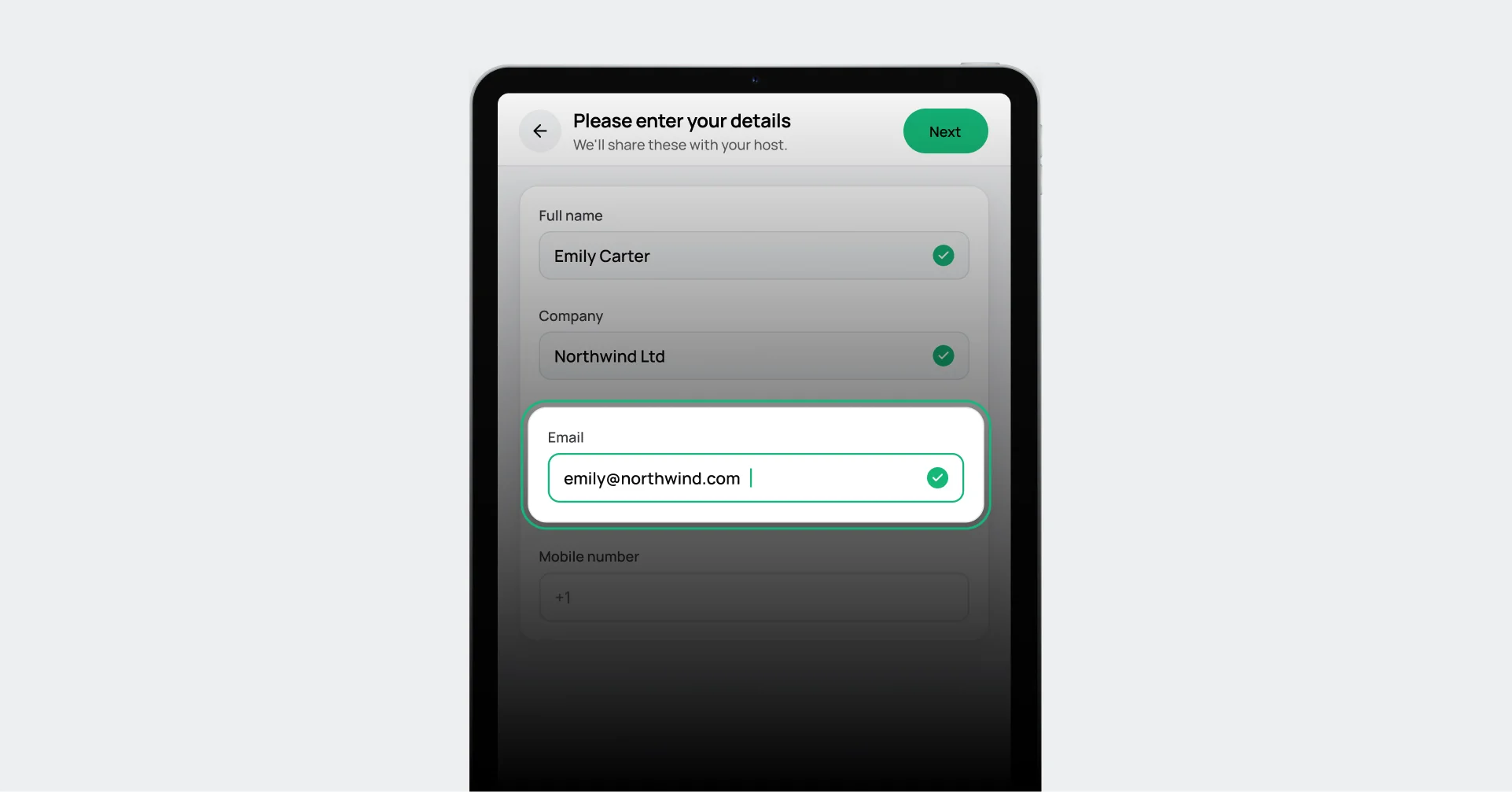
Enter details:
Visitors add their name, company, email, and mobile number.
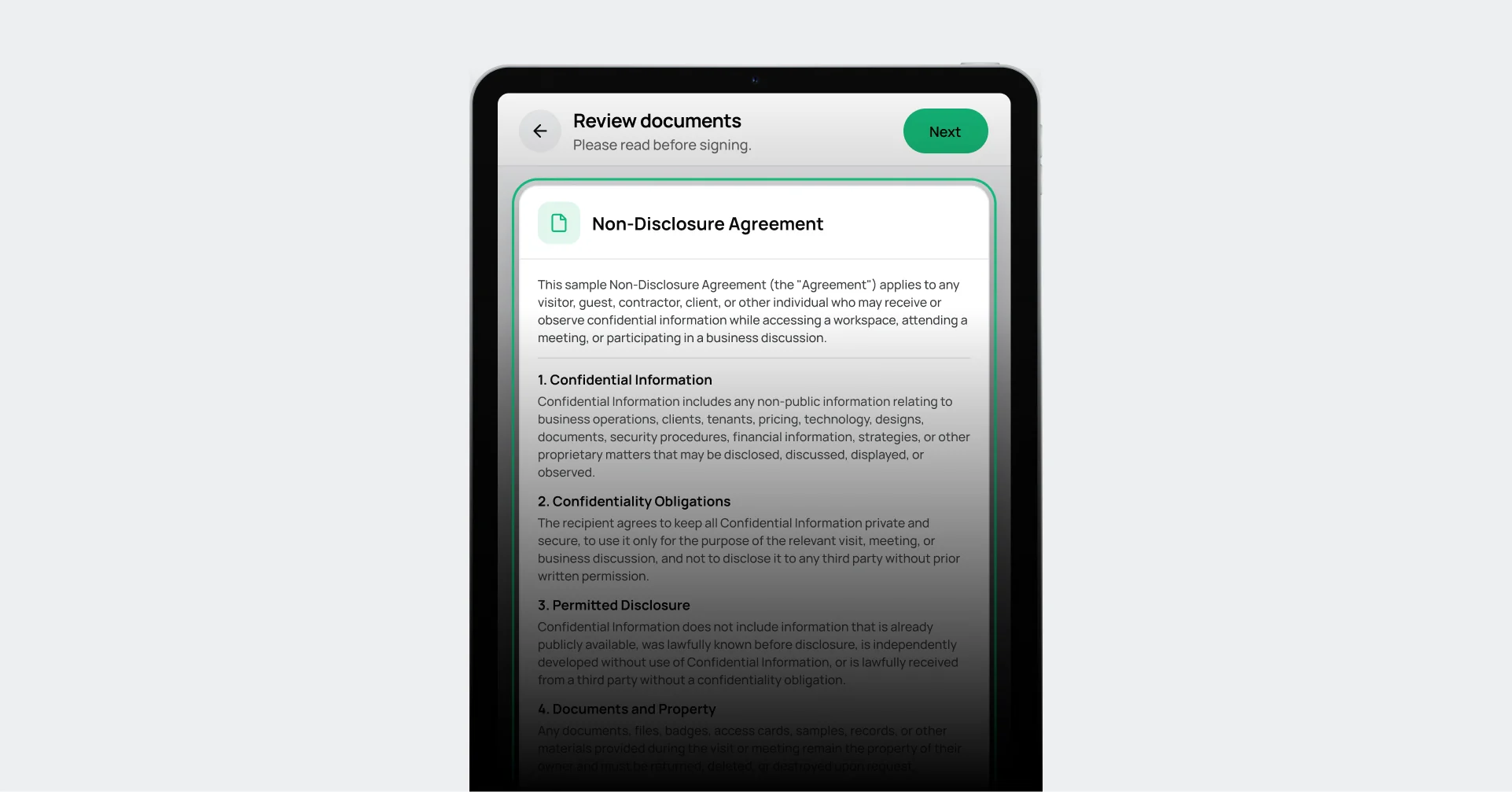
Review documents:
Visitors read required documents, like an NDA, on screen.
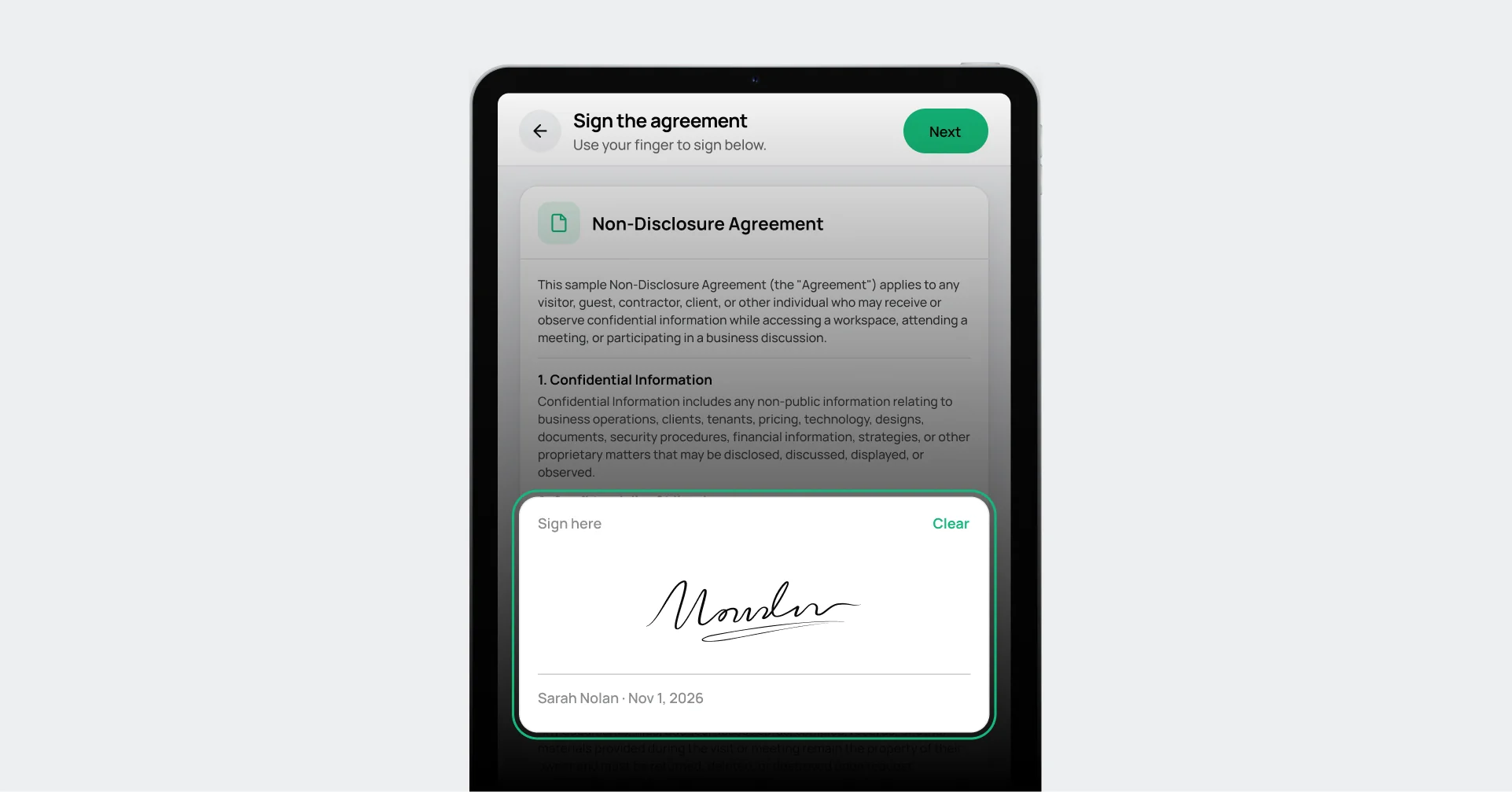
Sign documents:
Visitors sign right on the station.
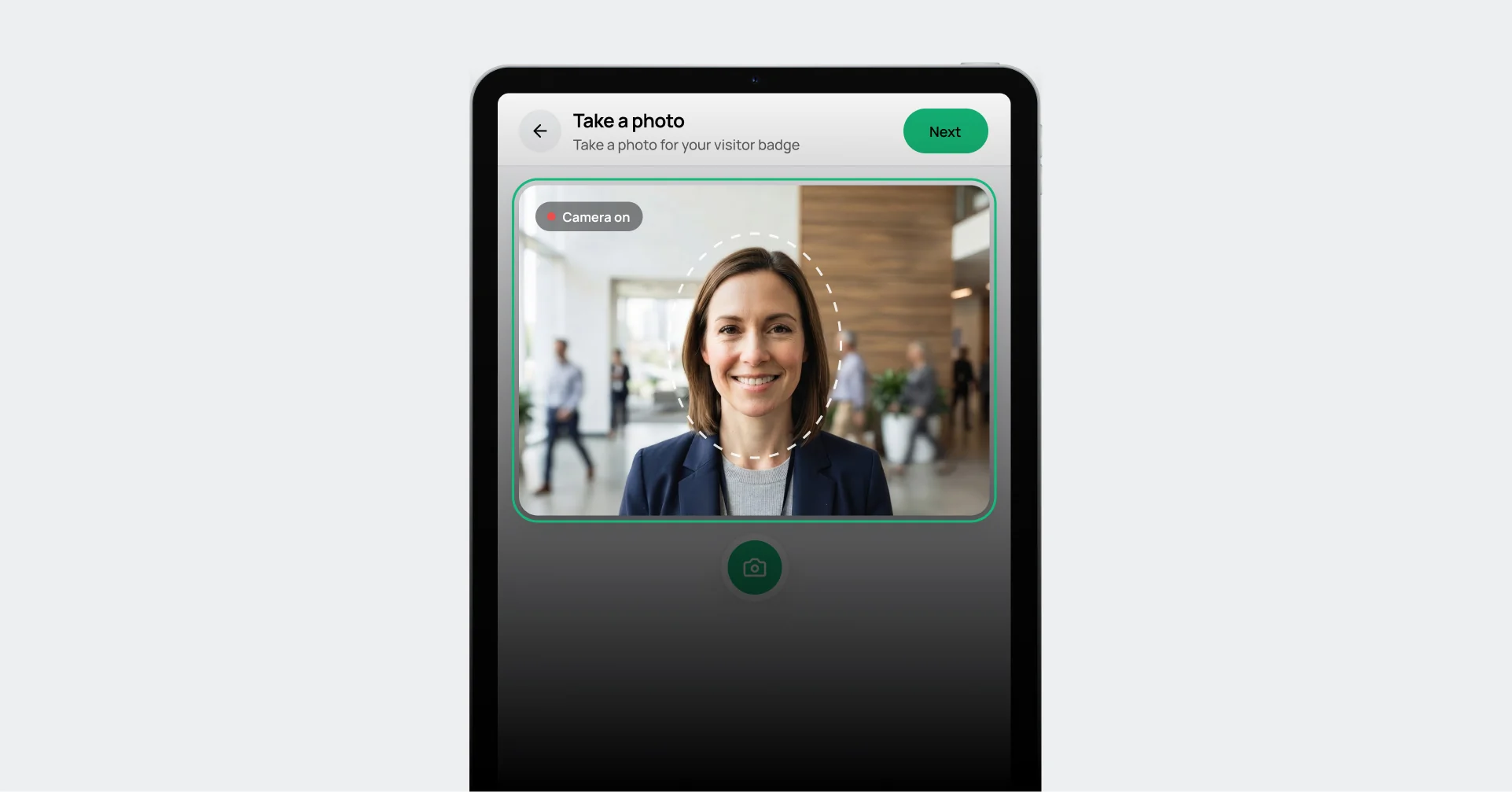
Take a photo:
The station takes a quick photo for the visit record.
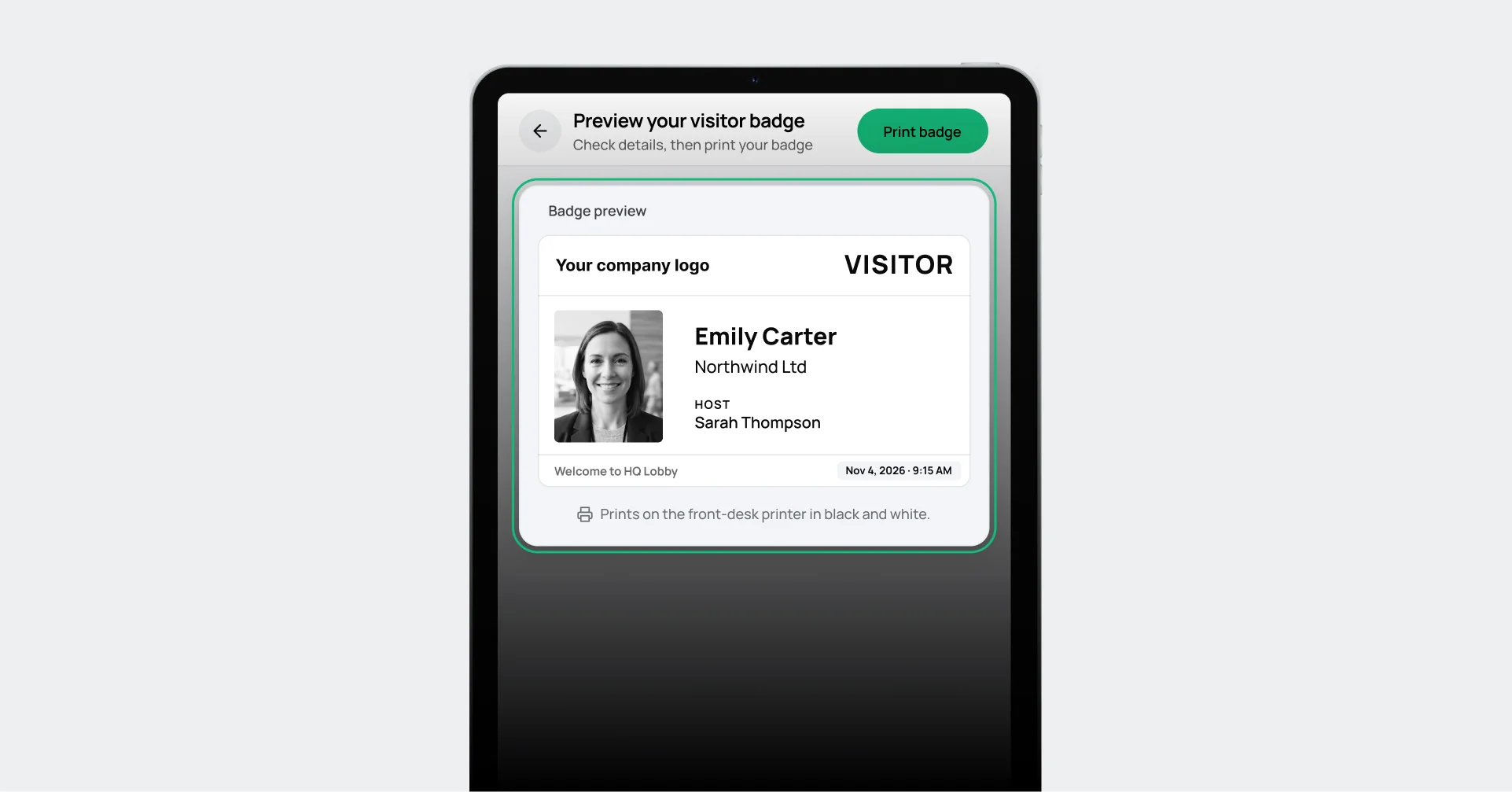
Preview visitor badge:
Visitors check their badge details, then print it at the station.
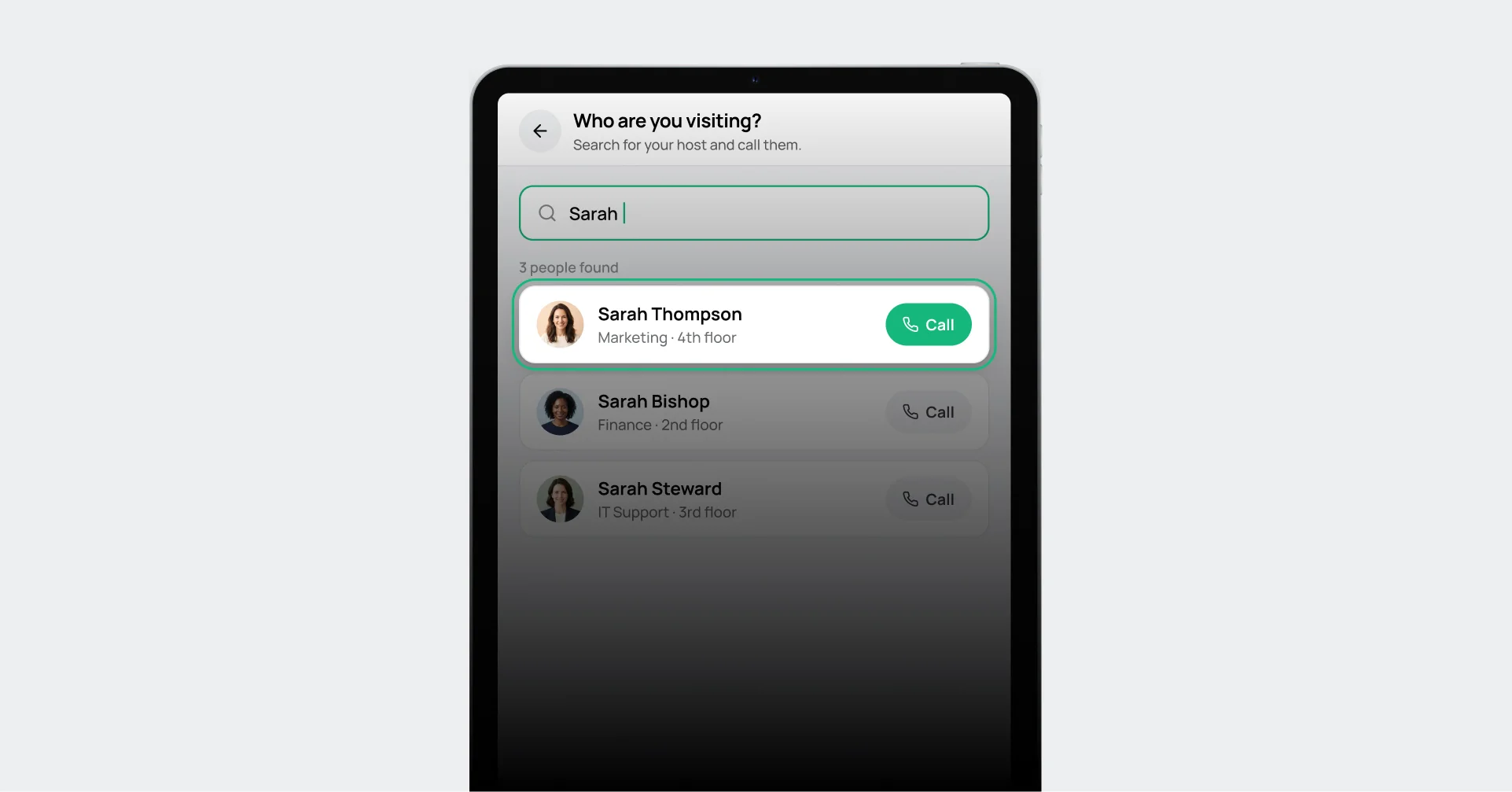
Call your host:
The visitor calls the right employee directly from the station.
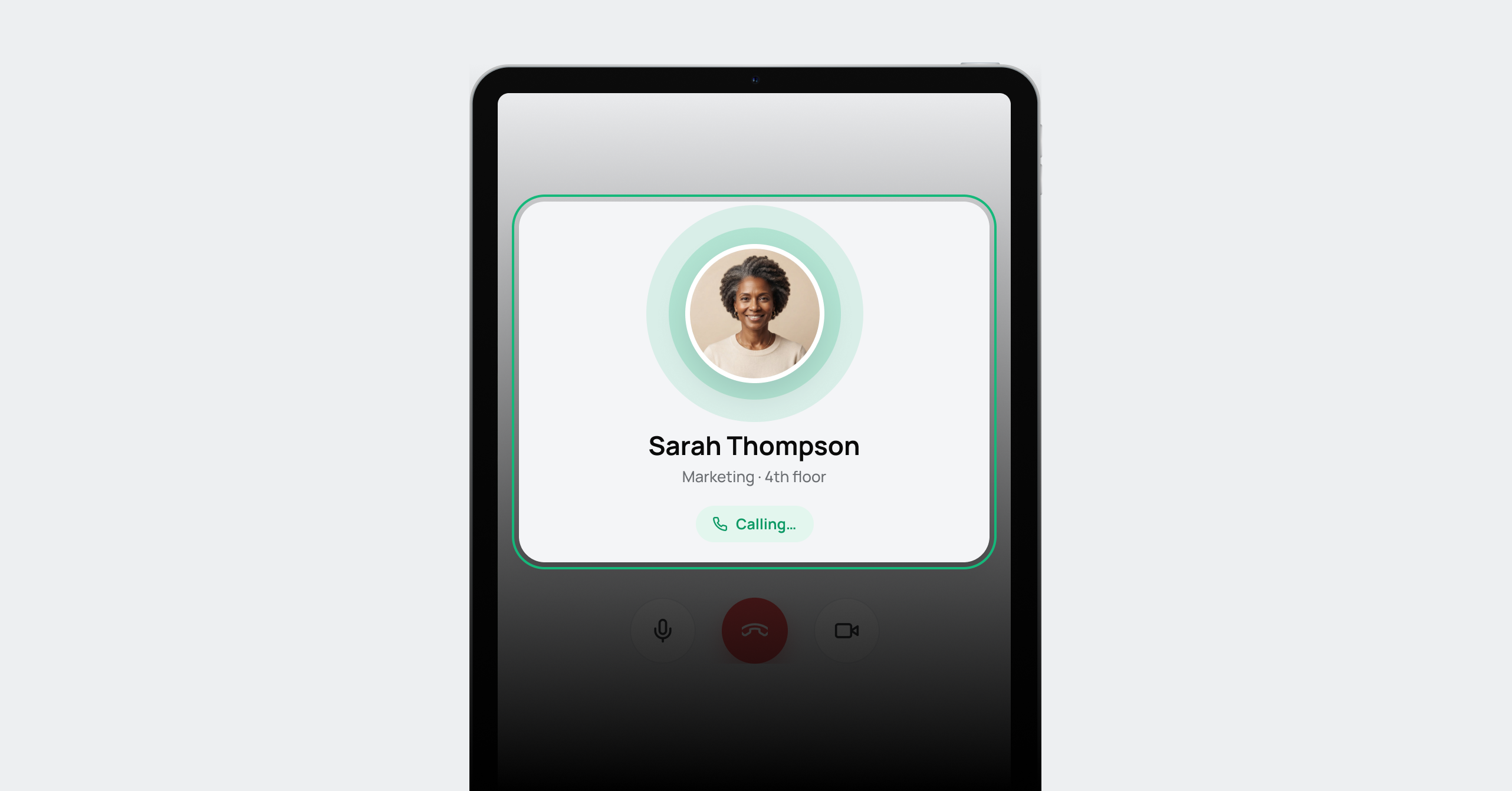
Calling your host:
The station calls Sarah Thompson so the visitor can talk to her face to face.
Build the sign-in flow your site requires
Configure different steps by visitor type, location, or security requirement so every visitor completes the right process before entry.
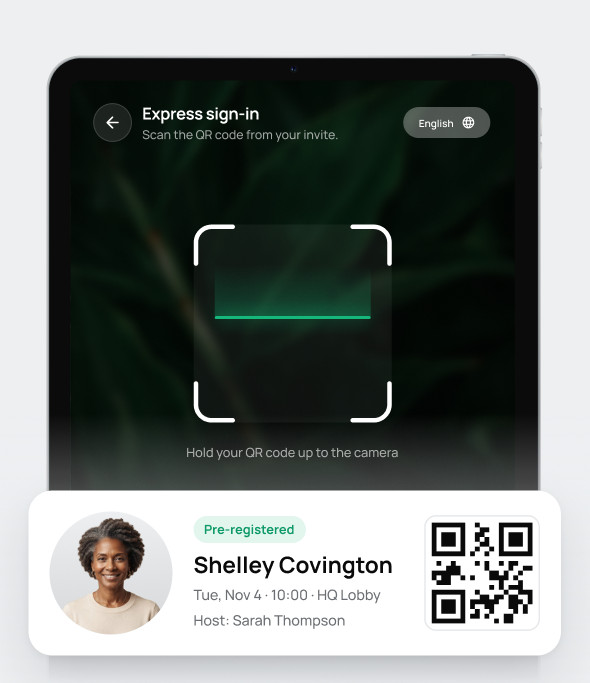
Let expected visitors complete steps before arrival and use express sign-in when they reach the site.
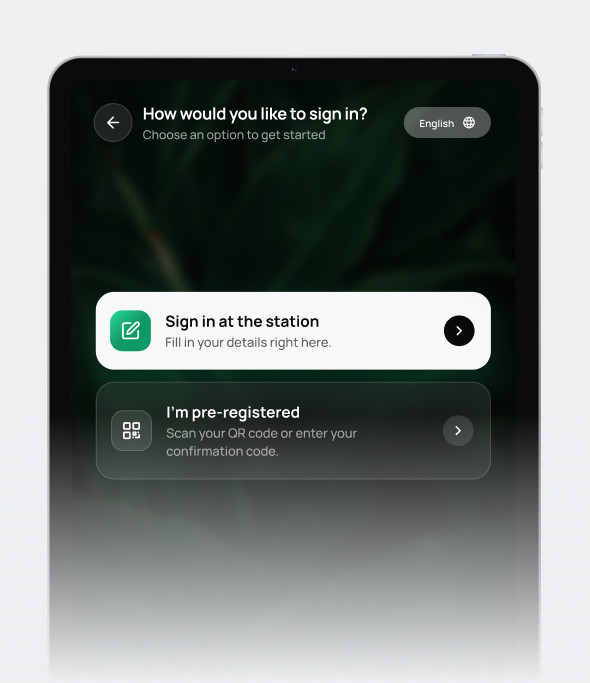
Create different flows for guests, contractors, vendors, interviewees, patients, or other visitor types.
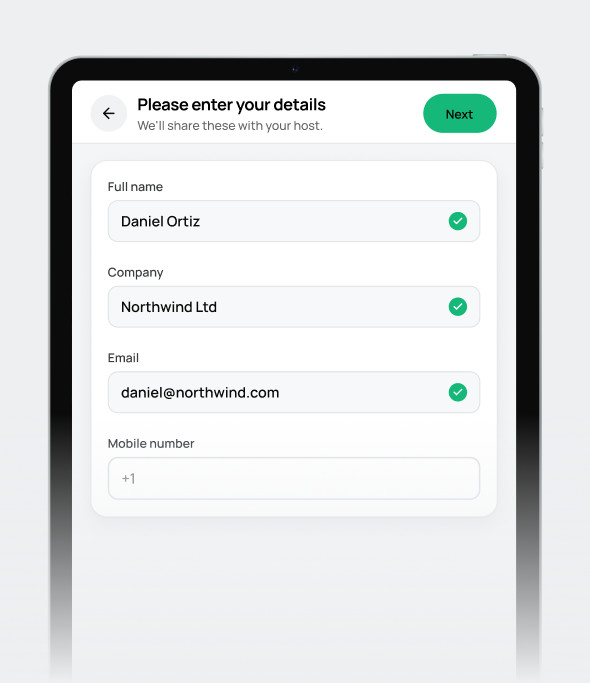
Collect names, contact details, host information, purpose of visit, and custom data your organization needs.
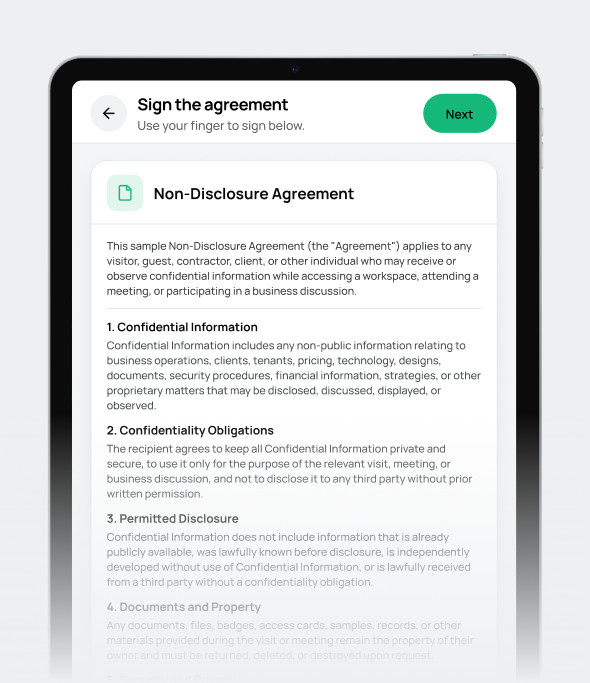
Present NDAs, policies, waivers, safety documents, or other required forms during sign-in.
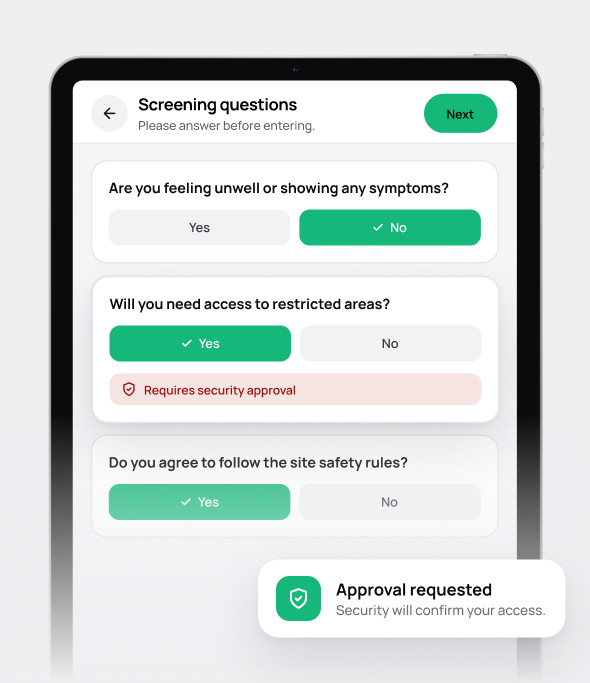
Ask screening questions or embed any online form before the visitor completes entry.
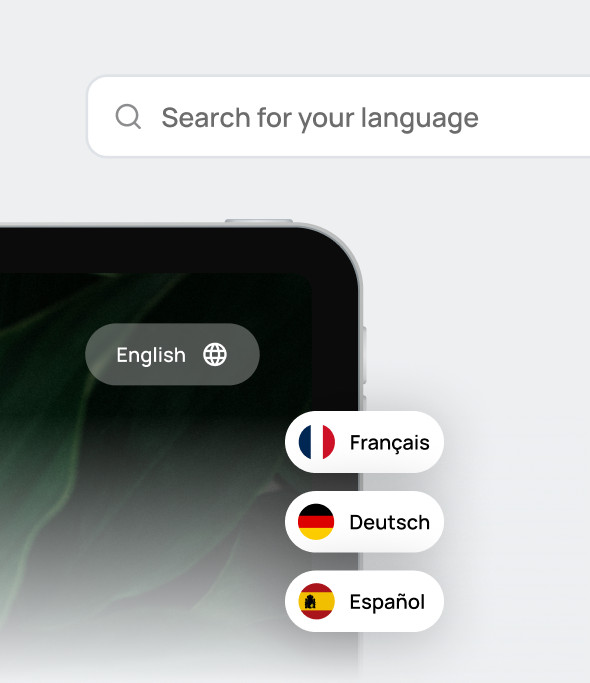
Support visitors with localized front-desk experiences across different sites.
Audit-ready records
Keep visitor records centralized and searchable so IT, security, facilities, and operations teams can review visitor activity without relying on paper logs or disconnected spreadsheets.
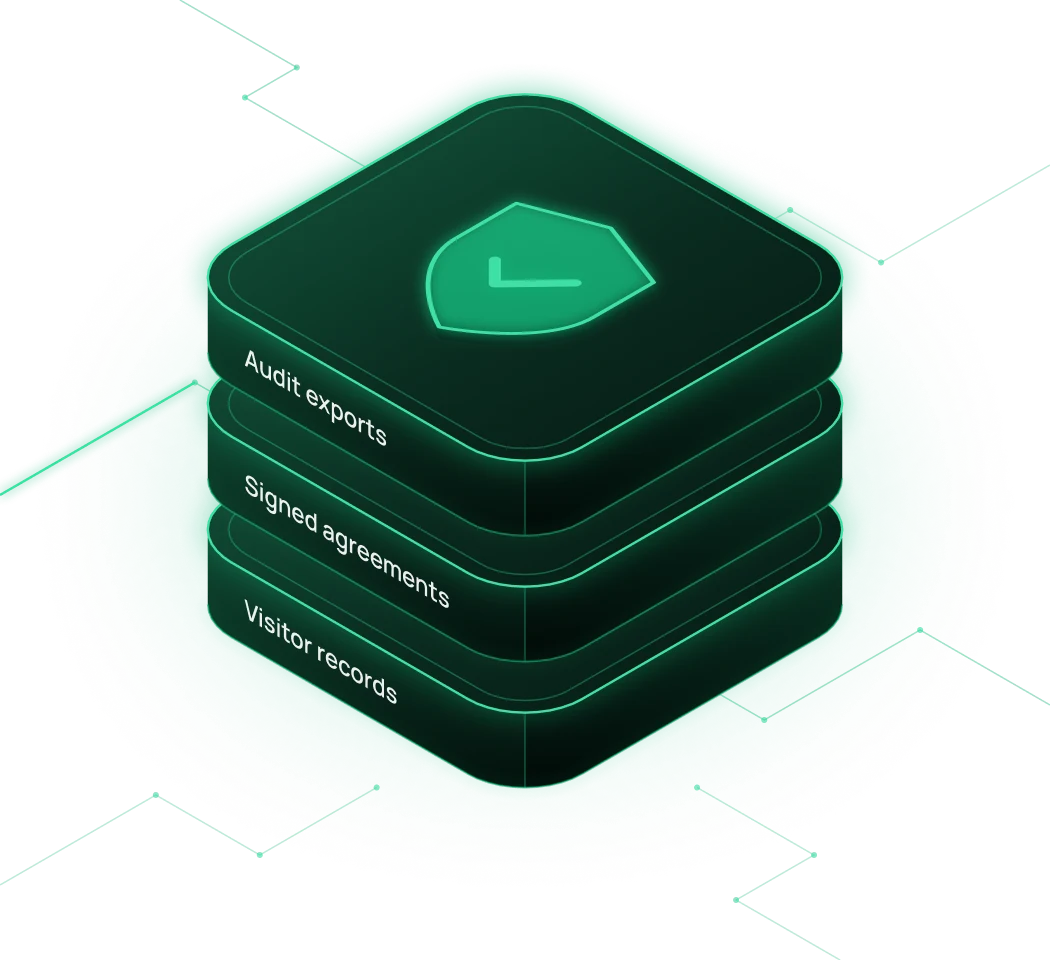
Maintain sign-in and sign-out records so authorized teams can quickly review who may be in the building at any given time.
Keep searchable visitor history with arrival details, completed steps, and associated records available for reporting and review.
Include NDAs, policies, waivers, and other required documents directly in the sign-in flow and capture visitor signatures digitally.
Move visitor records into your reporting or operational systems through exports, APIs, and connected workflows.
Send visitor data into the systems your IT team already runs
Use the Virtual Front Desk API and webhooks to move visitor activity into internal systems, reporting tools, or custom workflows.
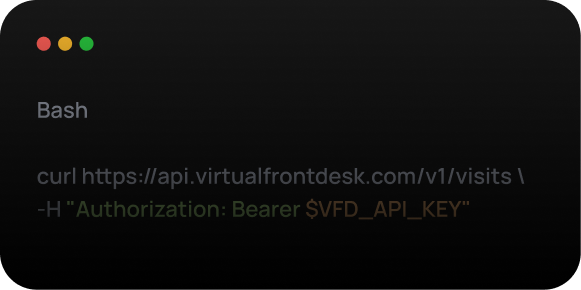
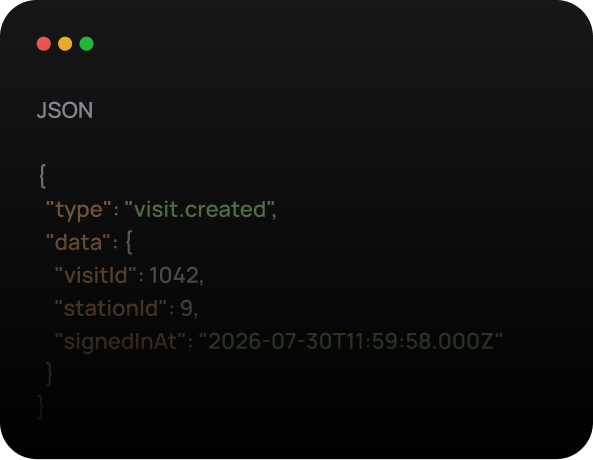
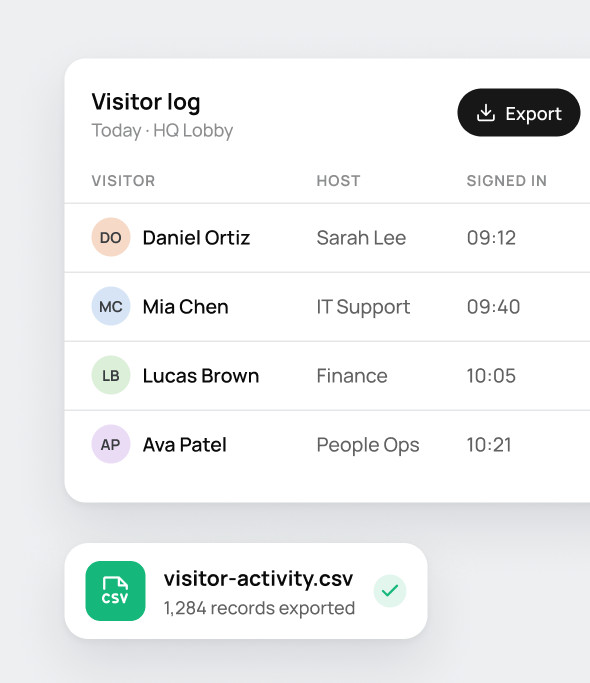
Use visitor records in your own reporting and operational systems.
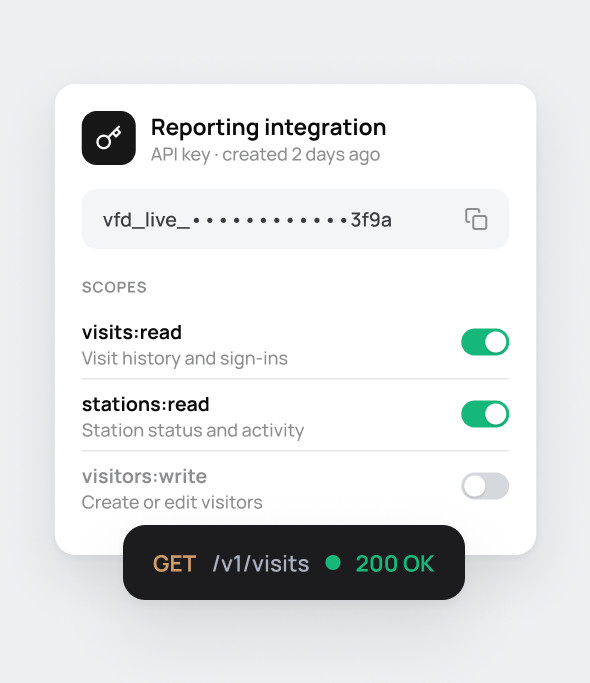
Connect visitor data to internal tools using scoped API access.
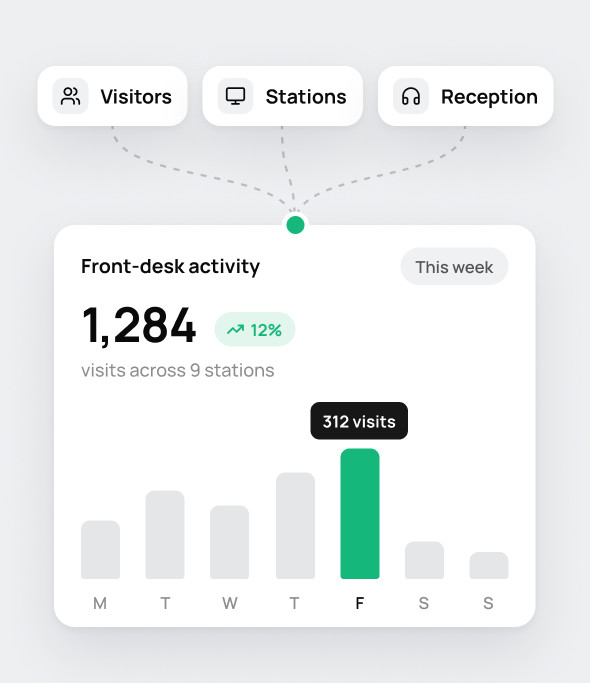
Bring visitor, station, and reception activity into broader operational reporting.
Standardize visitor sign-in across every location
Manage sign-in requirements across multiple offices or facilities while allowing each site to use the workflow, branding, and entry process it needs.
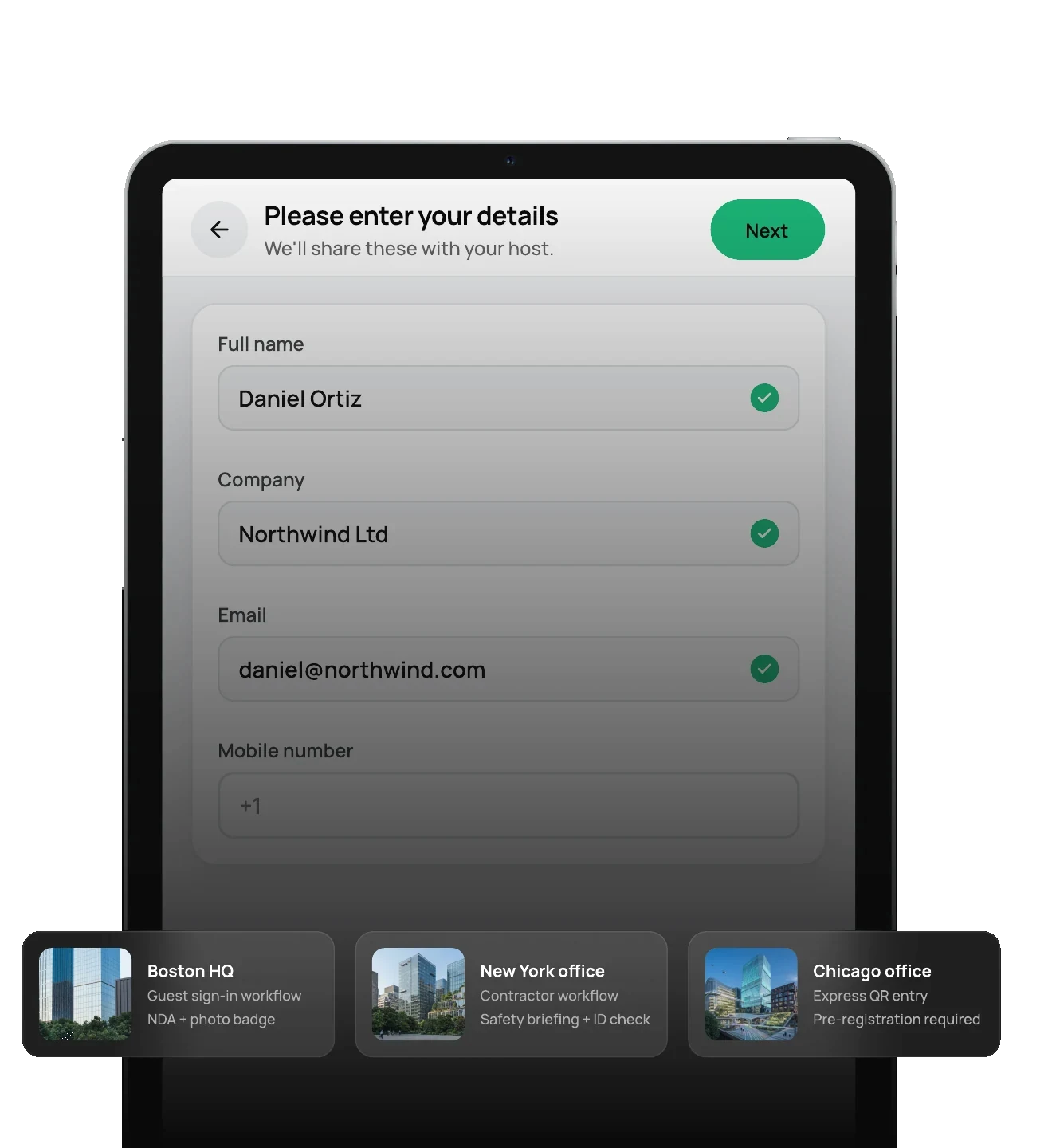
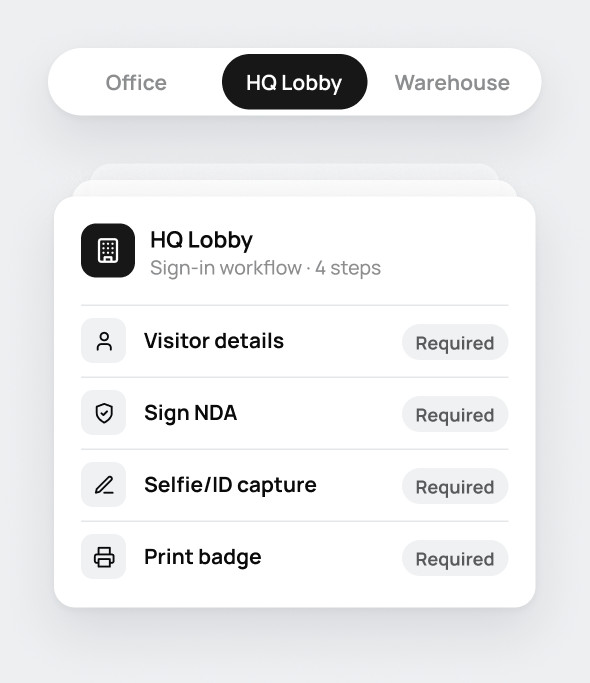
Set different sign-in requirements by site.
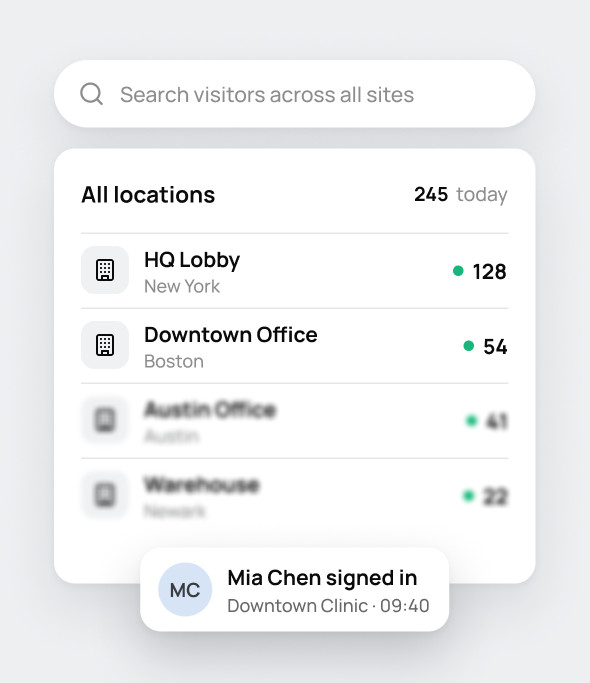
Review visitor activity across locations from one system.
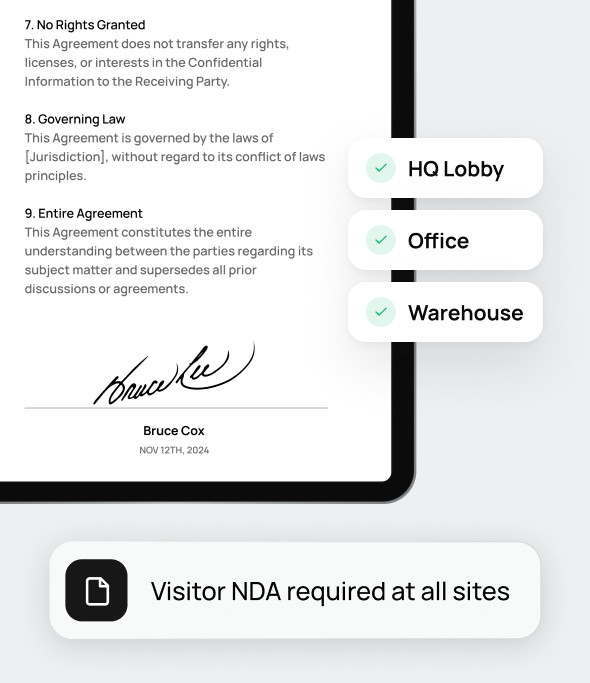
Apply required documents and processes across multiple sites.
Keep a human available when the workflow needs one
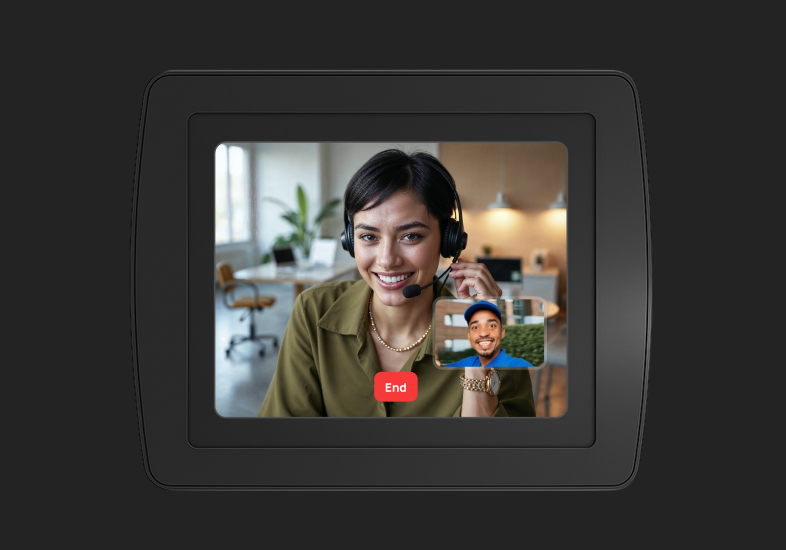
If a visitor cannot complete the process or needs additional support, Virtual Front Desk can connect them face-to-face with a receptionist or employee through live video.
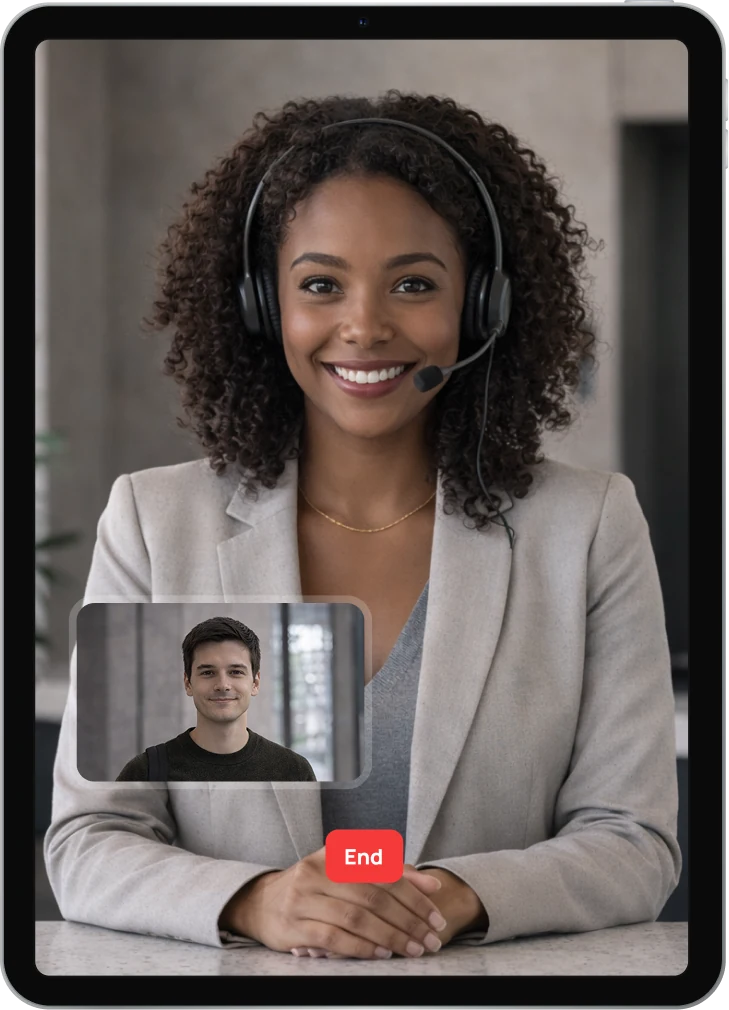
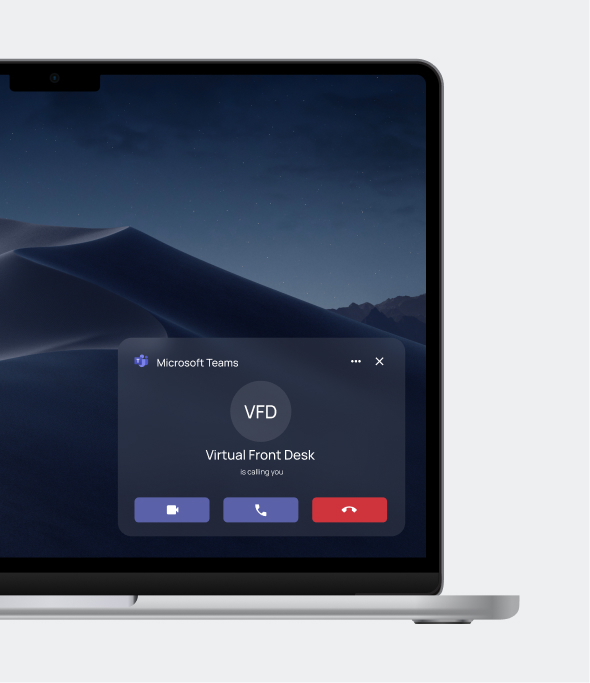
Route reception calls into Microsoft Teams so staff can answer from the app they already use.
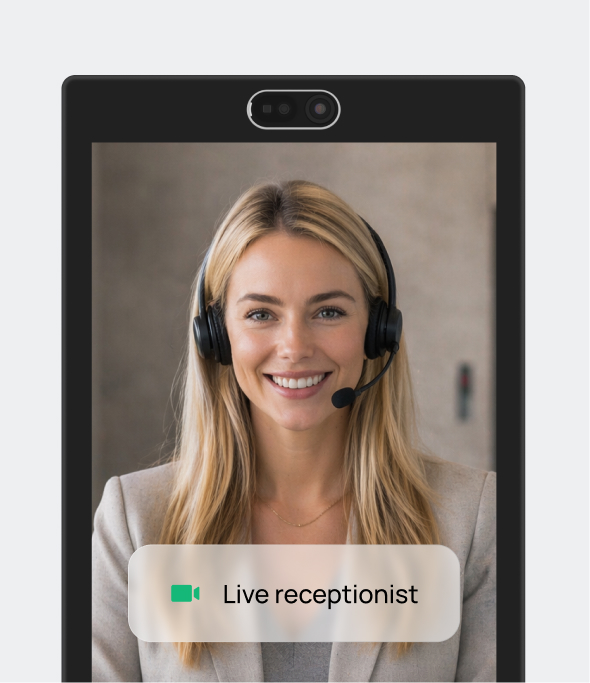
Connect visitors and receptionists face-to-face, directly from the station.
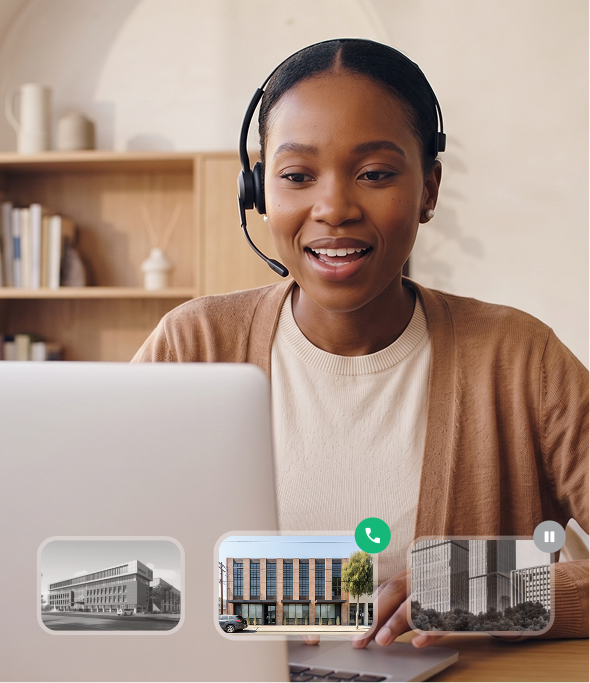
Let receptionists answer from another office, from home, or from a central reception team.
Understand how visitors use your Virtual Front Desk station
Track visitor activity, check-in patterns, station usage, and front-desk interactions to understand what is happening across your locations.
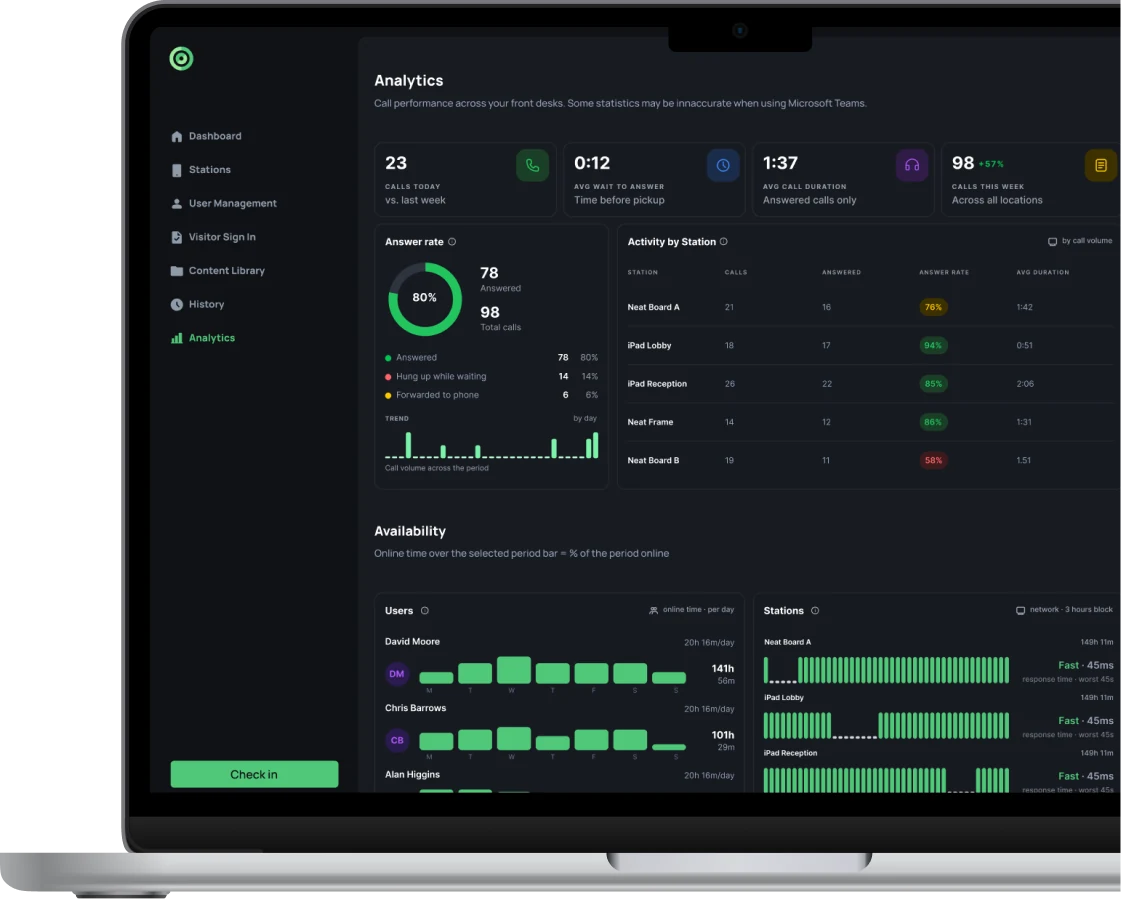
Connect Virtual Front Desk with the tools your team already uses
Notify employees and teams when visitors arrive and connect front-desk workflows with supported communication and calendar tools.

Route a visitor's video call or SMS straight into Microsoft Teams. Your staff answer from the app they already have open all day.

When a visitor taps a button on the station, an instant message goes out in Slack, to a channel or to a specific person.

Use Outlook Calendar integration to invite visitors, send pre-registration emails, and give guests a faster arrival experience with express sign-in at the station.

Use Google Calendar integration to invite visitors, send pre-registration emails, and give guests a faster arrival experience with express sign-in at the station.

Get a WhatsApp message when a visitor arrives, or a video call link you can tap to talk to them at the station.
 scale(1.2063)' fill='%23191919' fill-rule='evenodd' d='M34.6,0.4l-1.3,16c-0.6-0.1-1.2-0.1-1.9-0.1c-0.8,0-1.6,0.1-2.3,0.2l-0.7-7.7c0-0.2,0.2-0.5,0.4-0.5h1.3l-0.6-7.8c0-0.2,0.2-0.5,0.4-0.5h4.3C34.5,0,34.7,0.2,34.6,0.4L34.6,0.4L34.6,0.4zM23.8,1.2c-0.1-0.2-0.3-0.4-0.5-0.3l-4,1.5C19,2.5,18.9,2.8,19,3l3.3,7.1l-1.2,0.5c-0.2,0.1-0.3,0.3-0.2,0.6l3.3,7c1.2-0.7,2.5-1.2,3.9-1.5L23.8,1.2L23.8,1.2zM14,5.7l9.3,13.1c-1.2,0.8-2.2,1.7-3.1,2.7L14.5,16c-0.2-0.2-0.2-0.5,0-0.6l1-0.8L10,9c-0.2-0.2-0.2-0.5,0-0.6l3.3-2.7C13.5,5.4,13.8,5.5,14,5.7L14,5.7zM6.2,13.2c-0.2-0.1-0.5-0.1-0.6,0.1l-2.1,3.7c-0.1,0.2,0,0.5,0.2,0.6l7.1,3.4l-0.7,1.1c-0.1,0.2,0,0.5,0.2,0.6l7.1,3.2c0.5-1.3,1.2-2.5,2-3.6L6.2,13.2zM0.9,23.3c0-0.2,0.3-0.4,0.5-0.3l15.5,4c-0.4,1.3-0.6,2.7-0.7,4.1l-7.8-0.6c-0.2,0-0.4-0.2-0.4-0.5l0.2-1.3L0.6,28c-0.2,0-0.4-0.2-0.4-0.5L0.9,23.3L0.9,23.3L0.9,23.3zM0.4,33.8C0.1,33.8,0,34,0,34.3l0.8,4.2c0,0.2,0.3,0.4,0.5,0.3l7.6-2l0.2,1.3c0,0.2,0.3,0.4,0.5,0.3l7.5-2.1c-0.4-1.3-0.7-2.7-0.8-4.1L0.4,33.8L0.4,33.8zM2.9,44.9c-0.1-0.2,0-0.5,0.2-0.6l14.5-6.9c0.5,1.3,1.3,2.5,2.2,3.6l-6.3,4.5c-0.2,0.1-0.5,0.1-0.6-0.1L12,44.3l-6.5,4.5c-0.2,0.1-0.5,0.1-0.6-0.1L2.9,44.9L2.9,44.9zM20.4,41.9L9.1,53.3c-0.2,0.2-0.2,0.5,0,0.6l3.3,2.7c0.2,0.2,0.5,0.1,0.6-0.1l4.6-6.4l1,0.9c0.2,0.2,0.5,0.1,0.6-0.1l4.4-6.4C22.4,43.8,21.3,42.9,20.4,41.9L20.4,41.9zM18.2,60.1c-0.2-0.1-0.3-0.3-0.2-0.6L24.6,45c1.2,0.6,2.6,1.1,3.9,1.4l-2,7.5c-0.1,0.2-0.3,0.4-0.5,0.3l-1.2-0.5l-2.1,7.6c-0.1,0.2-0.3,0.4-0.5,0.3L18.2,60.1L18.2,60.1L18.2,60.1zM29.6,46.6l-1.3,16c0,0.2,0.2,0.5,0.4,0.5H33c0.2,0,0.4-0.2,0.4-0.5l-0.6-7.8h1.3c0.2,0,0.4-0.2,0.4-0.5l-0.7-7.7c-0.8,0.1-1.5,0.2-2.3,0.2C30.9,46.7,30.2,46.7,29.6,46.6L29.6,46.6zM45.1,3.4c0.1-0.2,0-0.5-0.2-0.6l-4-1.5c-0.2-0.1-0.5,0.1-0.5,0.3l-2.1,7.6l-1.2-0.5c-0.2-0.1-0.5,0.1-0.5,0.3l-2,7.5c1.4,0.3,2.7,0.8,3.9,1.4L45.1,3.4L45.1,3.4zM53.9,9.7L42.6,21.1c-0.9-1-2-1.9-3.2-2.6l4.4-6.4c0.1-0.2,0.4-0.2,0.6-0.1l1,0.9l4.6-6.4c0.1-0.2,0.4-0.2,0.6-0.1l3.3,2.7C54,9.3,54,9.6,53.9,9.7L53.9,9.7zM59.9,18.7c0.2-0.1,0.3-0.4,0.2-0.6L58,14.4c-0.1-0.2-0.4-0.3-0.6-0.1l-6.5,4.5l-0.7-1.1c-0.1-0.2-0.4-0.3-0.6-0.1L43.3,22c0.9,1.1,1.6,2.3,2.2,3.6L59.9,18.7L59.9,18.7zM62.2,24.5l0.7,4.2c0,0.2-0.1,0.5-0.4,0.5l-15.9,1.5c-0.1-1.4-0.4-2.8-0.8-4.1l7.5-2.1c0.2-0.1,0.5,0.1,0.5,0.3l0.2,1.3l7.6-2C61.9,24.1,62.1,24.3,62.2,24.5L62.2,24.5L62.2,24.5zM61.5,40c0.2,0.1,0.5-0.1,0.5-0.3l0.7-4.2c0-0.2-0.1-0.5-0.4-0.5l-7.8-0.7l0.2-1.3c0-0.2-0.1-0.5-0.4-0.5l-7.8-0.6c0,1.4-0.3,2.8-0.7,4.1L61.5,40L61.5,40L61.5,40zM57.4,49.6c-0.1,0.2-0.4,0.3-0.6,0.1l-13.2-9.1c0.8-1.1,1.5-2.3,2-3.6l7.1,3.2c0.2,0.1,0.3,0.4,0.2,0.6L52.2,42l7.1,3.4c0.2,0.1,0.3,0.4,0.2,0.6L57.4,49.6C57.4,49.6,57.4,49.6,57.4,49.6zM39.7,44.2L49,57.3c0.1,0.2,0.4,0.2,0.6,0.1l3.3-2.7c0.2-0.2,0.2-0.4,0-0.6l-5.5-5.6l1-0.8c0.2-0.2,0.2-0.4,0-0.6l-5.5-5.5C42,42.6,40.9,43.5,39.7,44.2L39.7,44.2L39.7,44.2zM39.7,62c-0.2,0.1-0.5-0.1-0.5-0.3l-4.2-15.4c1.4-0.3,2.7-0.8,3.9-1.5l3.3,7c0.1,0.2,0,0.5-0.2,0.6l-1.2,0.5l3.3,7.1c0.1,0.2,0,0.5-0.2,0.6L39.7,62L39.7,62L39.7,62z'/%3E%3C/svg%3E)
Let your team sign in to Virtual Front Desk with their Okta accounts. Require SSO for everyone and enforce MFA through your Okta sign-on policy.
Features to secure and run your front desk
Beyond the core check-in flow, Virtual Front Desk includes additional tools to support visitor communication, on-site tasks, security, and front-desk operations throughout the visit.
Match the station to your brand with your logo, colors, and background.
Answer common visitor questions and hand off to your team when needed.
View live station camera feeds to see what is happening at every entrance.
Send an SMS alert to every visitor who signed in today and is still onsite.
Help visitors find the right person, department, or team from the station.
Set different visitor actions and requirements for each site or entrance.
Record when visitors leave and keep onsite visitor records up to date.
Let visitors reach the right employee or team by phone from the station.
Ring a team all at once or in order, so every visitor call gets answered.
Add station buttons for check-in, video calls, notifications, and info.
Set station hours and show a branded screensaver outside office hours.
Send payment requests and let visitors pay securely right at the station.
Deploy sign-in on the hardware that fits your environment
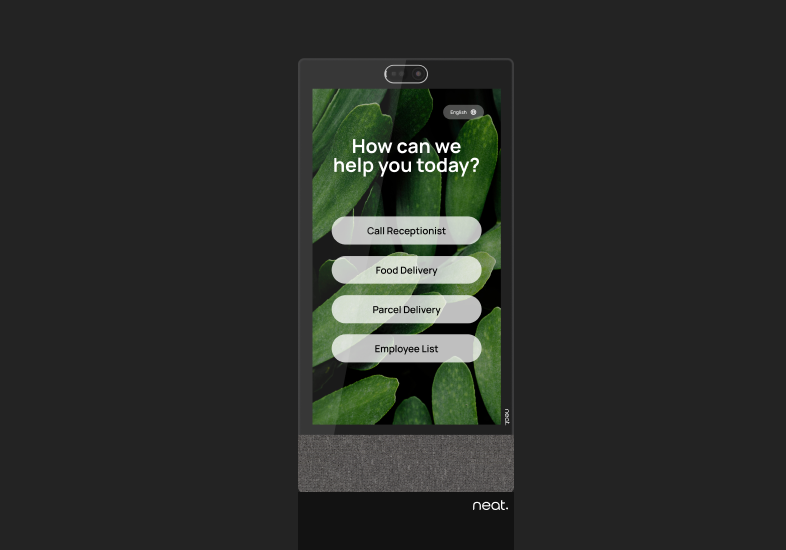
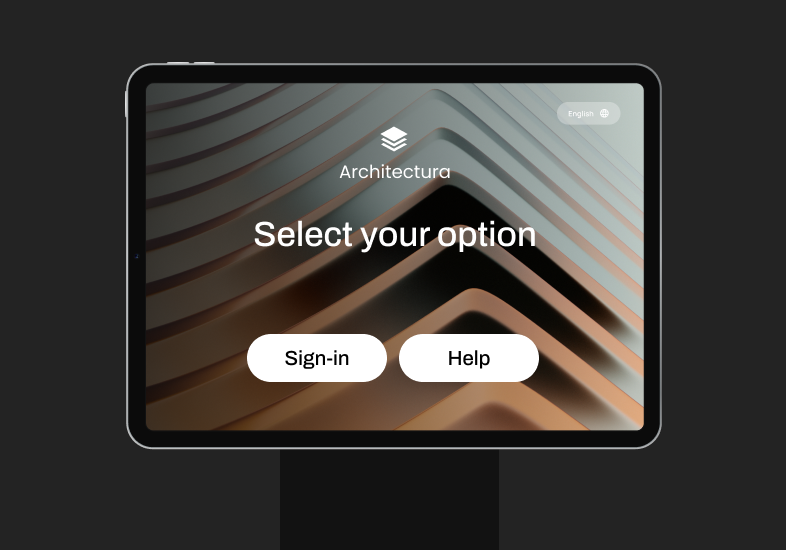
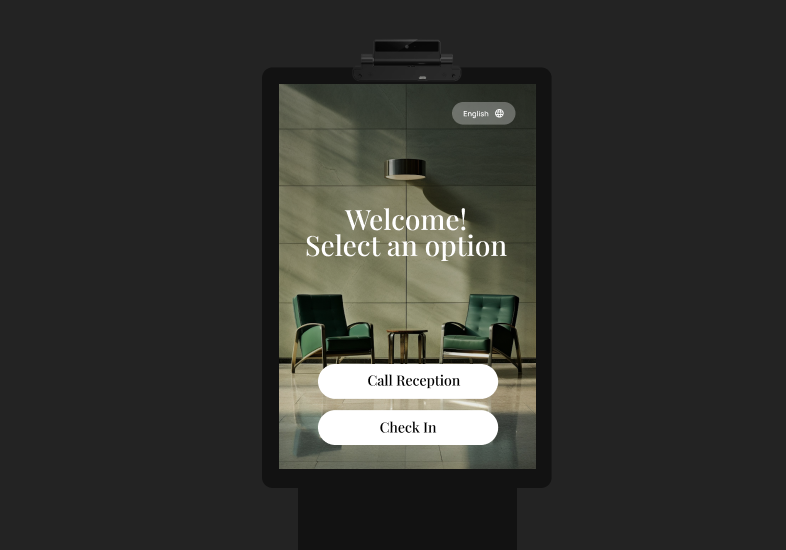
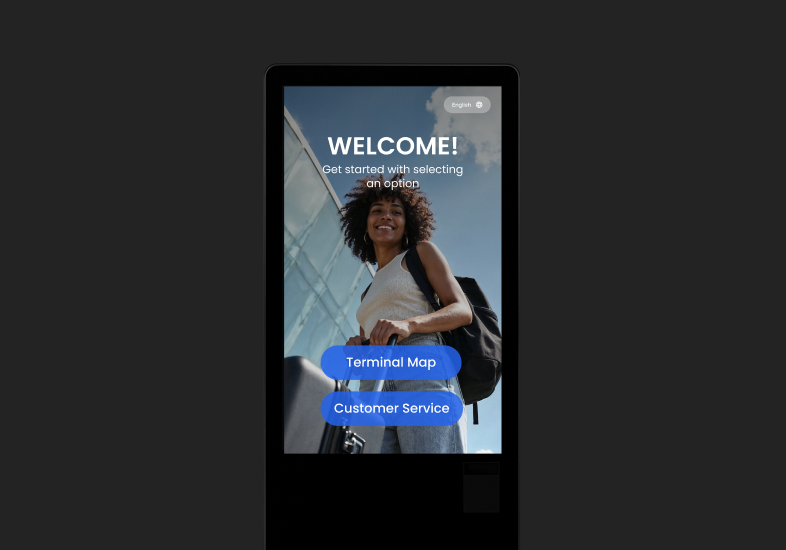
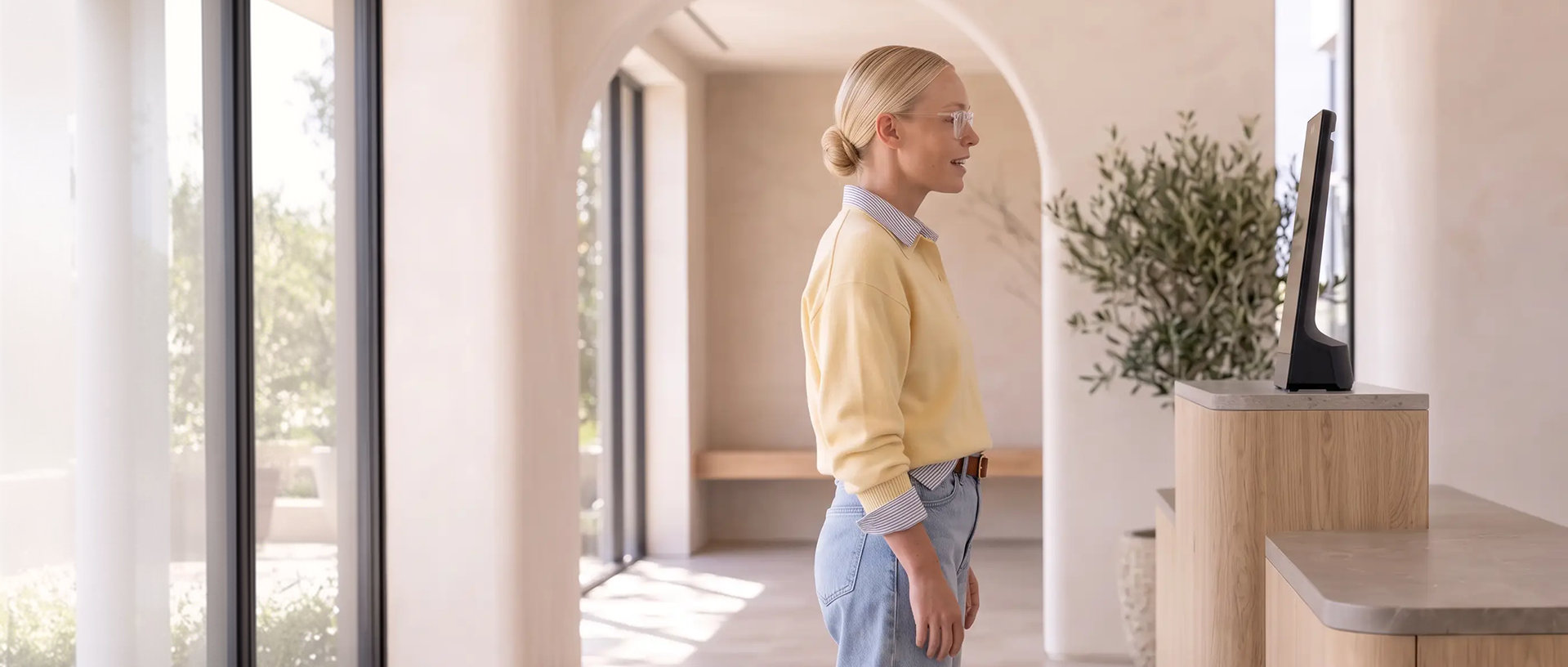
Run Virtual Front Desk across managed tablets, dedicated kiosks, and supported reception hardware while keeping sign-in workflows consistent across locations and deployment types.
Replace your paper visitor log in minutes
Create configurable sign-in workflows, capture required visitor data, support compliance processes, and connect records to your wider IT systems.
Do you have questions? Check them below
If you can’t find an answer to your question, feel free to contact us.
What is visitor management software?
Visitor management software helps organizations register, identify, track, and assist visitors entering a workplace or facility. It replaces paper sign-in sheets with digital check-in, visitor records, documents, badges, host notifications, and other arrival workflows.
A digital visitor process creates a more consistent arrival experience while giving teams better visibility into who has entered the site and what steps they completed.
Book a demo to see how Virtual Front Desk handles the visitor journey from pre-registration to sign-out.
How does Virtual Front Desk Visitor Management work?
Virtual Front Desk lets visitors pre-register or check in at a station, provide required information, complete documents, notify their host, print a badge, and continue to the next step of their visit. AI assistance and live video reception can also be added when visitors need help.
Visitor management becomes part of a connected front-desk workflow rather than a standalone sign-in form.
Book a demo to see a complete visitor arrival workflow.
How does Virtual Front Desk Visitor Management work?
Virtual Front Desk plans start at $29 per station per month.
Pricing depends on your plan and the number of stations, so you can start with one location and add stations as your organization grows.
See pricing to compare plans and features.
What information can Virtual Front Desk collect during visitor check-in?
Virtual Front Desk can collect the visitor’s name, company, email, mobile number, the person or department they are visiting, the purpose of the visit, and any custom fields your organization needs. It can also capture a selfie, a photo of the visitor’s ID (front and back), and signed documents saved as PDFs.
Different locations and visitor types may require different information, so the check-in process can be adapted to the workflow rather than forcing every visitor through the same form.
Contact sales to discuss the visitor information your organization needs to collect.
Can one receptionist support multiple locations?
Yes. Virtual Front Desk can support centralized reception models where one receptionist or team handles visitor calls from multiple locations.
This helps organizations standardize reception coverage across offices, clinics, facilities, and entry points without staffing every location separately.
Contact sales to discuss multi-location coverage and centralized reception options.
Does Virtual Front Desk support touchless and QR-code visitor check-in?
Yes. Virtual Front Desk supports visitor pre-registration and QR-based express check-in, allowing expected guests to complete much of the arrival process before reaching the front desk.
QR check-in can reduce time at the station and create a faster arrival experience for returning or pre-registered visitors.
Explore express check-in to see how pre-registration and QR workflows can simplify visitor arrival.
Can visitors pre-register before arriving?
Yes. Hosts can pre-register visitors one at a time, invite them in bulk, or send invitations directly from Outlook and Google Calendar.
Pre-registration gives visitors a smoother arrival experience and helps the organization know who to expect before they reach the lobby.
Explore integrations to see how calendar-based visitor invitations work.
Can visitors sign documents and print badges during check-in?
Yes. Virtual Front Desk can include NDAs, policies, waivers, and other required documents in the check-in workflow, capture visitor signatures digitally, and print visitor badges on supported printers such as the Brother QL-820NWBc.
Signed documents are saved as PDFs with the visitor record, and photo and ID capture can be completed as part of the same arrival process.
Book a demo to see documents, signatures, and badge printing in one check-in flow.
How does Virtual Front Desk notify employees when a visitor arrives?
Virtual Front Desk notifies the right employee or team the moment a visitor arrives, through Microsoft Teams, Slack, WhatsApp, SMS, email, or a phone call.
Hosts can respond faster without needing to constantly monitor the lobby or a separate reception dashboard.
Explore integrations to see how visitor notifications connect with the tools your team already uses.
Does Virtual Front Desk support multilingual visitor check-in?
Yes. Virtual Front Desk supports multilingual station experiences so visitors can complete front-desk interactions in a language that is more comfortable for them.
Multilingual workflows can make visitor arrival easier across international offices, public-facing locations, and diverse visitor populations.
Contact sales to discuss language requirements for your locations.
Can Virtual Front Desk track who is onsite?
Yes. Virtual Front Desk records every visitor sign-in and sign-out and keeps a live list of everyone currently on site, so authorized teams always know who is in the building, including during an evacuation.
Visitor records are kept for 12 months, are fully searchable, and can be exported to CSV to support security procedures, safety processes, reporting, and compliance requirements.
Explore Building Security & Compliance to learn more about visitor records and onsite visibility.
Can Virtual Front Desk track who is onsite?
Yes. Virtual Front Desk is SOC 2 Type I compliant and supports single sign-on (SSO), including Microsoft Entra ID.
Visitor data is stored in your choice of four data regions, so organizations can keep records where their policies require.
Contact sales to review your security and compliance requirements.
How is Virtual Front Desk different from basic visitor management software?
Virtual Front Desk combines visitor management with AI-powered reception and live video. Visitors can check in, ask questions, complete front-desk tasks, and connect face-to-face with a real receptionist from the same station.
Basic visitor management often ends after sign-in and host notification. Virtual Front Desk can continue supporting the visitor when they need directions, assistance, reception help, or another front-desk action.
Book a demo to see how visitor management, AI assistance, and live video work together.

